Open the weekly hours management of an employee via:
Navigation bar → Employees → edit the desired employee → click the Manage weekly hours link next to the Hours field
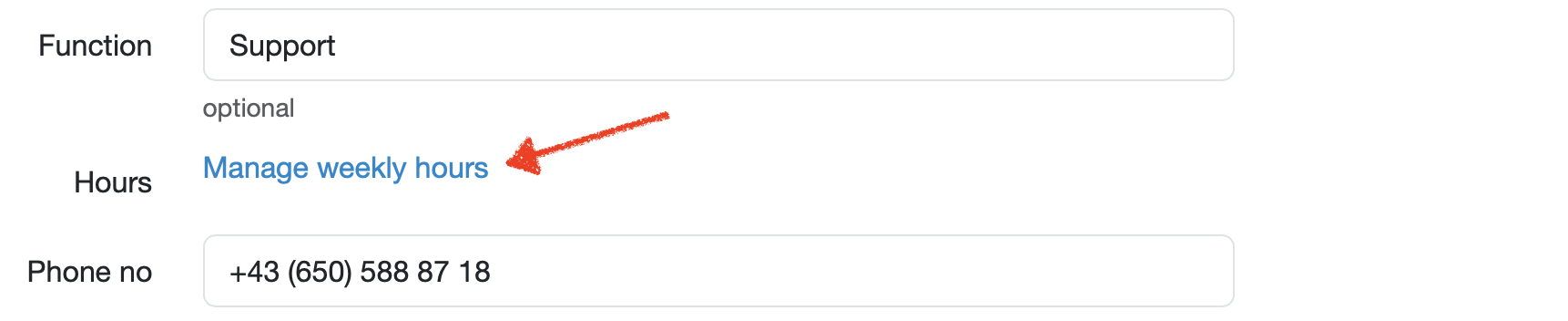
Figure: Manage weekly hours link in the employee editing view
The weekly hours management shows a table overview of the weekly working time per month across several years and allows you to:

Figure: Manage weekly hours
Note: The fields are pre-filled with the default value derived from the employee's weekly working time (daily hours multiplied by five working days). You can overwrite differing values directly per month.
The weekly hours are displayed with one row per year. The five past years, the current year, and the two following years are shown. The following table describes the columns.
| Column | Description |
|---|---|
| Year | The respective year for which the weekly hours are recorded (first column). |
| January to December | One input field per month for the weekly working time. Entry is made as a decimal number (e.g. 25.00). |
| Hours correction | Input field for a year-related correction of the hours (highlighted in gray). |
| Vacation correction | Input field for a year-related correction of the vacation days (highlighted in gray). Affects the remaining vacation in the vacation overview. |
25.00).Note: Changes to the weekly hours affect the calculation of the target hours and the vacation entitlement.
Last change: 10/14/26
General information
8D-report
Supplier evaluation
Material
Employees
Customers
Orders
Samples
PDF templates
Assets
Recipes
Reports
Report table editor
Interfaces
AI functions
Introductory phase
Query reports
Templates
Client zone (optional)
Offers
Invoices
Parameters
Calculating with parameters
Webservices
Transformationscode
Test plans / limit values / specifications
Documents control
Questions and answers
Equipment
Trainings
Others
File management
Processes
