Having measurements carried out by partner laboratories is routine practice in many laboratories. This allows a wider range of analyses to be offered to customers, or the failure of a measuring device to be bridged.
You can mark these so-called subcontracted measurements in the LDB according to the accreditation specifications in the test report.
This also applies to other properties, such as whether the parameter is accredited.
The example of subcontracting is used, to describe the best way how you can proceed here:
Select parameter
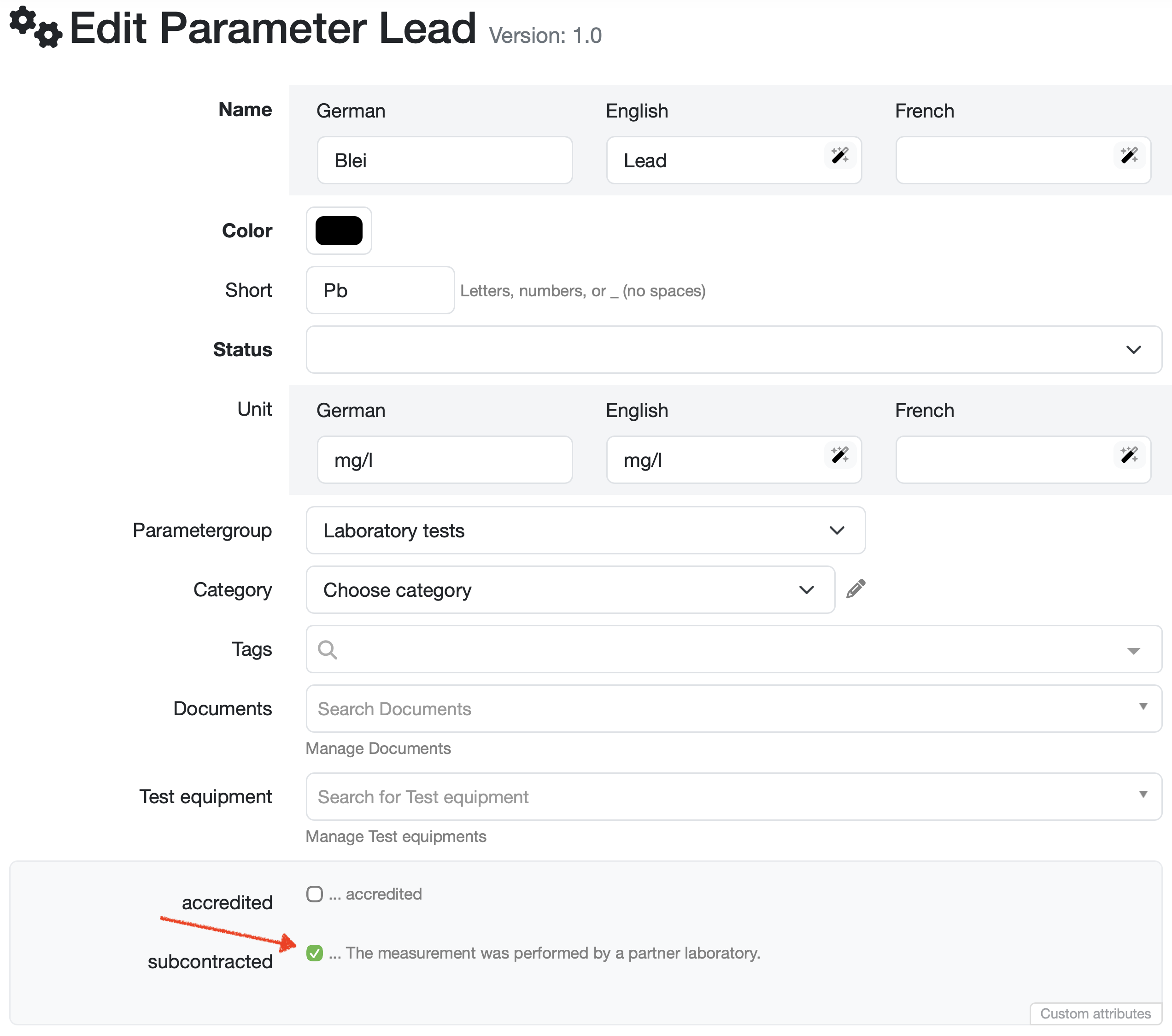
Select the desired parameter via Navigation bar → Settings → Manage parameters.
Mark outsourcing
Check the subcontracted checkbox.
Note: Contact your customer support if this field needs to be configured and agree on the text for the legend.
Display legend in report
To display the legend text below the report table, enter the variable _AUTO_LEGENDE_ as the table footer in the report table editor.
For more information, see: Create/edit/delete a report table
Result in the test report
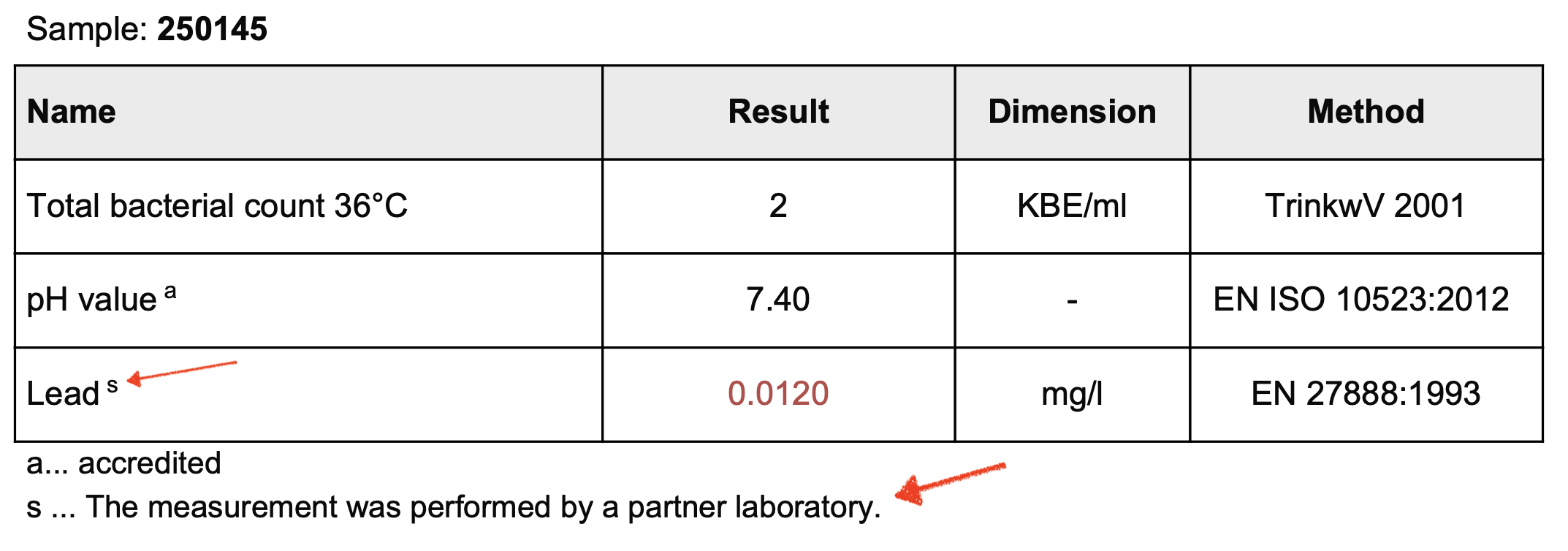
The parameter is marked accordingly on your test report. The legend text s ... The measurement was performed by a partner laboratory. is automatically displayed as soon as a parameter meets the criterion subcontracted.
Last change: 08/21/26
General information
Supplier evaluation
Material
Employees
Customers
Orders
Samples
PDF templates
Assets
Recipes
Reports
Report table editor
Interfaces
AI functions
Introductory phase
Query reports
Templates
Client zone (optional)
Offers
Invoices
Parameters
Calculating with parameters
Webservices
Transformationscode
Test plans / limit values / specifications
Documents control
Questions and answers
Equipment
Trainings
8D-report
Others
File management
Processes