Record hours - Create entry

Record your working time quickly and directly from the navigation bar - without leaving the current page.

Navigation

Open the form for Hourly entries via:
Navigation bar → Clock symbol (in the right section)


Overview

The form for hourly entries form allows you to:

  • Record working time with category, hours, date and optionally: customer, order, tags, description
  • Switch to the current overview of already saved hours

Create time entry

The following describes the fields of the form for recording working time.

  • Category: Select the appropriate category from the dropdown.
  • Hours: Enter the number of hours. You can enter either a decimal number (e.g. 1.5) or use the format hours:minutes (e.g. 1:30).
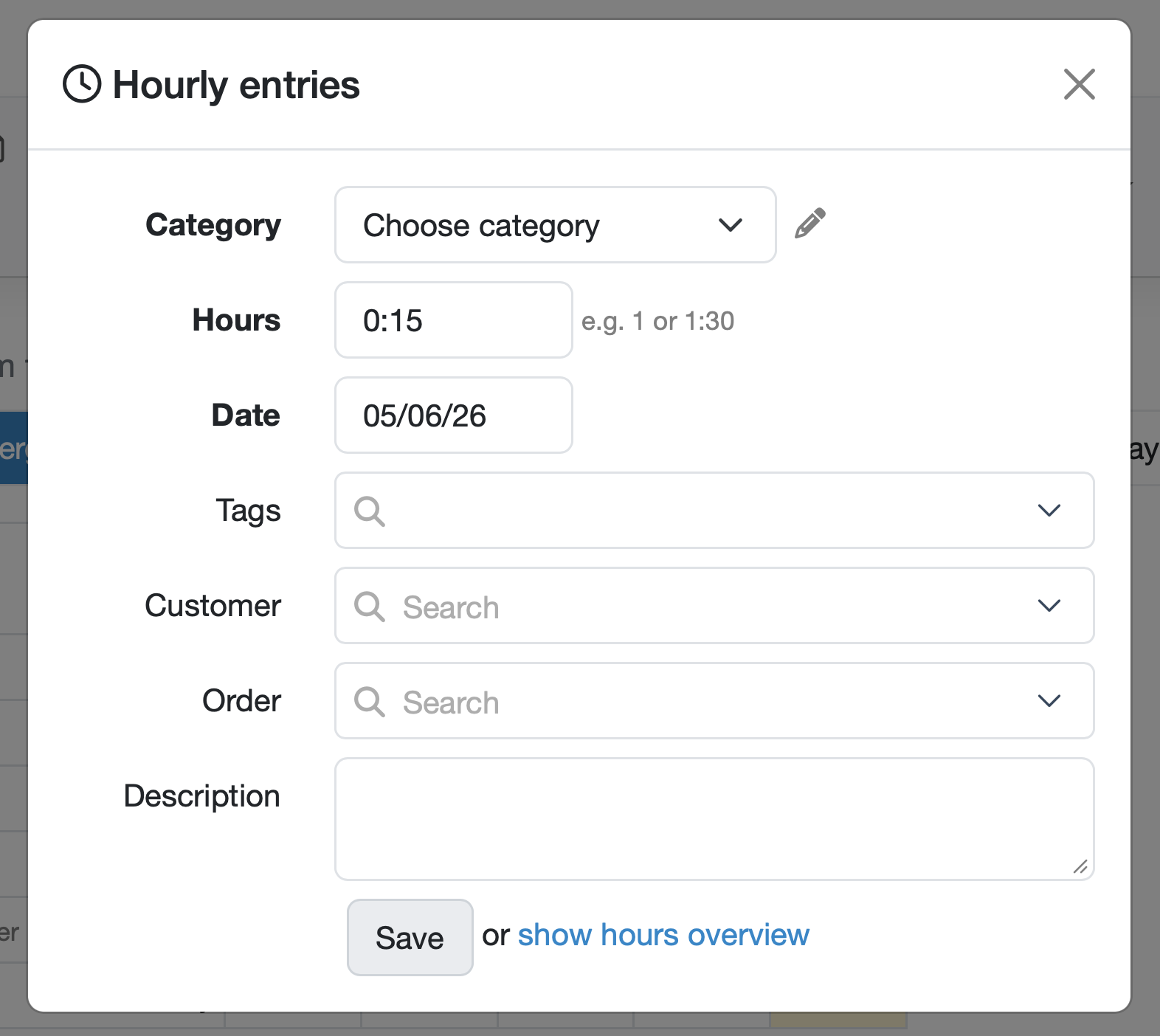
  • Date: Pre-filled with today's date. Adjust the date if needed.
  • Tags: Select or enter tags for later filtering.
  • Customer: Select the associated customer using the search field.
  • Order: Select the associated order using the search field.
  • Description: Free text field for a brief description of the work performed. Multi-line input is possible.
  • The required fields (Category, Hours, Date) are displayed in bold.
  • Click Save to save the entry, or click the show hours overview link to switch to the Actual view (showing time entries from the last 90 days).

Figure: Create time entry


Edit time entry

  • Click the show hours overview link to switch to the Actual view.
  • Click the pencil icon on the right side of an entry to open the editing form.

Last change: 05/06/26

General information

Assets

Samples

Employees

PDF templates

Recipes

Reports

Report table editor

Interfaces

Kompetenzen

AI functions

Introductory phase

Query reports

Orders

Templates

Customers

Client zone (optional)

Offers

Invoices

Parameters

Calculating with parameters

Webservices

Transformationscode

Test plans / limit values / specifications

Documents control

Material

Questions and answers

Equipment

Trainings

8D-report

Others

Supplier evaluation

File management

Processes