Professional laboratory reports at the click of a button
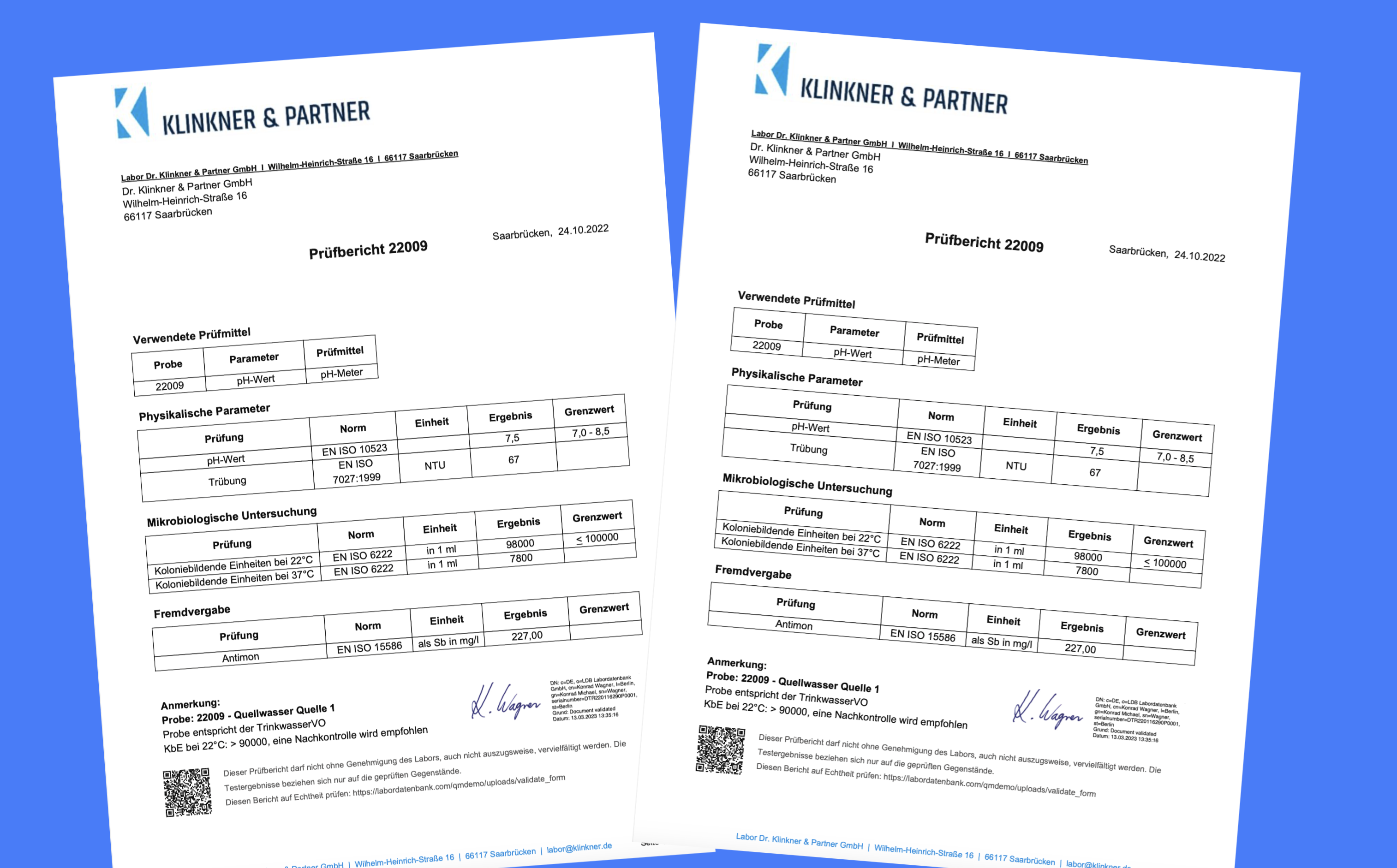
Your report represents your laboratory. Reporting in LDB LIMS saves time and resources while ensuring the quality and consistency of laboratory reports. LDB automatically creates standardised reports with added value and a consistent layout that meet accreditation requirements. An intuitive editor lets you manage and maintain report templates and report tables.
Once the relevant values are stored in LDB, you can create test reports with a click. Analysis results are presented in your custom layout, including methods, measurement limits and the required number of decimal places or significant figures. After digital signing, each test report is stored and archived immutably and can be made available to clients by email, SMS or through the customer zone.
By integrating limit tables containing specific rules and target values, the system can automatically assess test results. These intelligent tables use the stored target values for assessment and generate suggested text accordingly. This significantly improves the efficiency and consistency of report creation while reducing the risk of human error.
/screenshots/specs_view_13_desktop_sm/en/632568b58c4c1dfa.png)
/screenshots/stats_view_142_html_desktop_sm/en/2a0374b38d6d9a13.png)
The report table editor gives you a powerful toolkit for automating and standardising laboratory reports. Design custom report tables for any type of analysis or test. Whether you need to represent complex data structures, apply specific formatting or integrate dynamic content, a wide range of table types is available.
/screenshots/reporttables_edit_26_desktop_lg/en/dd15e37b1176baad.png)
/screenshots/reports_archivieren_85_desktop_sm/en/c7635f33d243971e.png)
Generated reports can be conveniently saved as PDFs and sent by email. Secure alternatives are available for sensitive personal or medical data, such as providing reports in the customer zone, sending a link by SMS or email with an authentication prompt, or transferring reports directly and securely to portals.
/screenshots/batchprocesses_desktop_sm/en/5b61572d49e810dc.png)
Digital signatures: LDB uses the enhanced PAdES method (PDF Advanced Electronic Signatures). Electronic signatures created with LDB therefore meet the European Union’s advanced requirements under ETSI EN 319 142, published by the European Telecommunications Standards Institute.
/screenshots/signatures_desktop_sm/en/6c8e3e011bed34e3.png)

“ Depending on their laboratory sector, our customers use different names for their documents, including test reports, laboratory reports, findings and analysis certificates (AZ). The English terms Test Report, Lab Report and Certificate of Analysis (CoA) are also frequently used. During LDB implementation, we examine the customer’s requirements in detail, regardless of the terminology used. ”
Laboratory Information Management System (LIMS)
Simplify Documentation & Put ISO Requirements into Practice Every Day