Control of documented information means managing quality-related information in a controlled way, as required by ISO 9001 and ISO 17025 – from creation, review, approval and distribution through to archiving. LDB supports this lifecycle in its integrated document management system (DMS): create, review, approve and withdraw – with a complete audit trail, permissions, roles and electronic signatures.
Request an introductory meeting/screenshots/documents_desktop_sm/en/e63272f07dd7b7a5.png)
The standard is clear – putting it into practice is often less straightforward. These four issues come up repeatedly in our conversations with laboratory and quality managers, and they are exactly what prompts questions during audits.
Many laboratories still maintain a mixture of paper documents and files on network drives. This takes time, introduces transcription errors and no longer reflects current best practice.
The standard requires: a defined procedure for controlling all quality-related documents, with an easily accessible overview of their status and distribution.
How we solve thisPrintouts in laboratory binders, copies in company vehicles, personal folders on desktops: as soon as a new version is approved, someone somewhere is still using the old one.
The standard requires: only current documents may be available at the point of use; invalid versions must be removed promptly or clearly marked as obsolete.
How we solve thisThe documents exist, but finding the right paragraph in the right document under time pressure is stressful. Scattered storage locations make it harder to provide evidence to assessors.
The standard requires: traceability of changes and approvals – supported by evidence, not just assertions.
How we solve thisStandards, accreditation body guidelines, specifications and package inserts are also controlled documents. Yet a defined procedure for checking whether they are up to date is often missing.
The standard requires: external documents must be identified, controlled and regularly checked to ensure they are up to date.
How we solve thisDeveloped together with ISO 17025 technical and system assessors – specifically for the needs of accredited laboratories and inspection bodies.
Create, review and approve documents in accordance with standards. Automatic versioning and central access ensure that your employees always use current, approved documents – both internal and external.
/screenshots/documents_view_4_desktop_sm/en/af9ac942355c605e.png)
Digital signatures: LDB uses the enhanced PAdES method (PDF Advanced Electronic Signatures). Electronic signatures created with LDB therefore meet the European Union’s advanced requirements under ETSI EN 319 142, published by the European Telecommunications Standards Institute.
/screenshots/signatures_desktop_sm/en/6c8e3e011bed34e3.png)
Easily notify your team about new or updated documents and request a read confirmation .
/screenshots/documents_send_6_full_desktop_sm/en/68abe682478a6c79.png)
Your employees receive clear notifications in the system and by email. The system automatically records which employee confirmed which document and when – and who still needs to do so.
/screenshots/documents_view_4_full/en/4513b0eed2757a81.png)
Document management lets you make documents classified as public available to your customers and partners. Each public document can be linked from your laboratory's website. The DMS ensures that only current, approved content is published.
/screenshots/documents_view_4_desktop_lg/en/445ed7536d2f8e80.png)
For all AI features, you can define context in the system settings: the standard relevant to your laboratory (e.g. ISO 17025) and your own document structure. This also keeps the structure and organisation of your documents consistent.
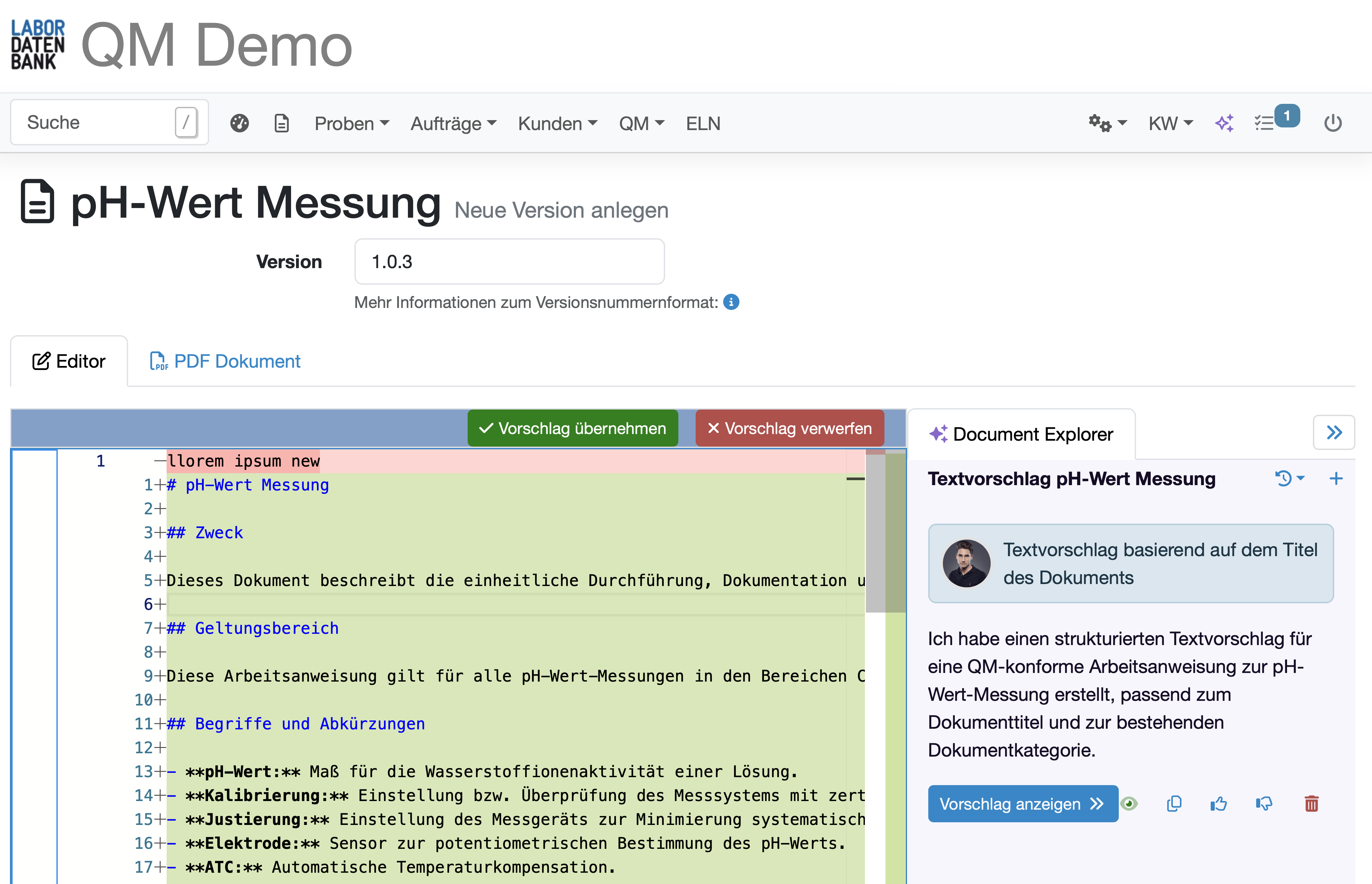
Create and revise documents with AI assistance directly in the editor, following your laboratory’s requirements and structure. Review all suggested changes in a comparison view and decide which ones to accept.
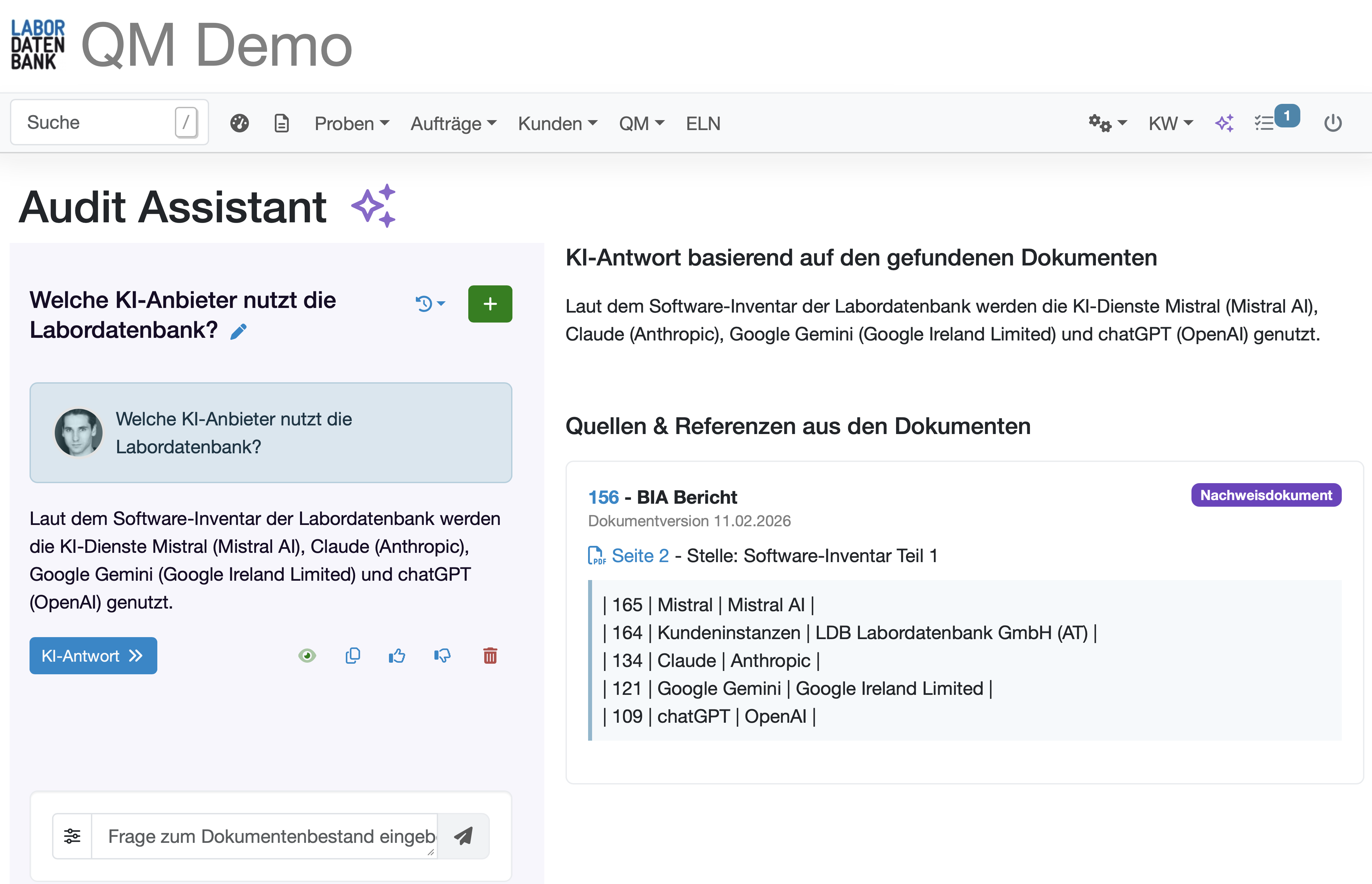
Automatically answers audit questions based on your controlled documents, including source references and direct links to the relevant passage. During an audit, you can immediately find the right document in its approved version and the relevant paragraph – whether it was created directly in LDB or uploaded from an external source.
EN ISO/IEC 17025:2017 (section 8.3) requires testing laboratories to have a defined procedure for document control. This is precisely why we developed document control as part of the quality management module – together with technical and system assessors, in line with the requirements of ISO 17025.
Scroll horizontally to view the table
| Standard requirement | Implementation in LDB’s document management system |
|---|---|
| An easily accessible list must show the current status and distribution of all controlled documents | A central document overview with title, category, version, author, review and approval status – accessible to all authorised users at any time, with filtering and export options |
| Internal quality management documents must be identified by issue date or revision identifier, page number, total number of pages and approval record | Identification is maintained automatically: version number, date, approver and signature details are recorded and included in the PDF |
| Documents must be reviewed and approved by authorised personnel before issue, with clearly defined responsibilities | A defined author → reviewer → approver workflow with electronic signatures (PAdES); roles and access rights are set for each document type |
| The revision status must be visible on the document | Automatic versioning using major, minor and correction versions, including a change history in the document |
| Review intervals must be defined for checking that external documents are up to date (e.g. standards and accreditation body guidelines) | Configurable review intervals for each document, with automatic advance warnings and reminders for those responsible; validity can be confirmed with a click |
| Documents must be accessible at their point of use, including off-site activities such as sampling and inspection | Web-based access from any device; documents classified as public can be shared through a permanent link that always points to the currently approved version |
| Only current documents may be available for active use | Employees can open only the currently approved version; versions being edited remain hidden |
| Invalid or obsolete documents must be promptly removed from all points of use or protected against unintended use | The withdrawal function immediately removes an incorrect version; the previous valid version takes effect automatically, including in links and email attachments |
| Changes should be reviewed and approved by personnel in the same roles as those who approved the original version | The configured review and approval workflow applies to every new version; responsibilities are retained for each document |
| Changes must be identified as such (amended or new text) | The internal editor automatically records every change between two versions, visible as an audit trail without manual documentation |
| A copy must be archived to ensure changes remain traceable, and the archived copy must be identified | All previous versions remain securely archived and clearly marked as old versions, including a complete audit trail |
| Rules must define how documents in IT systems are changed and made available, for example that only the electronic version is valid | The digital version is the authoritative version; a corresponding validity statement can be built into the document template |
Basis: EN ISO/IEC 17025:2017, section 8.3.
Quality management and LIMS expert Susanne demonstrates how ISO 17025-accredited laboratories control their documents digitally:
The Labordatenbank team shows live how to meet the requirements of ISO 17025 section 8.3 – developed together with DAkkS assessor Susanne Kolb:
Step-by-step instructions from the LDB manual on document control.

In 60 minutes, we will show you how to control your documents in accordance with ISO 17025, based on your own requirements and without a sales presentation. Simply choose a time that suits you.
Choose a timeCalendar not opening? Book directly on Calendly · Prefer to write? Send an enquiry
Laboratory Information Management System (LIMS)
Simplify Documentation & Put ISO Requirements into Practice Every Day