Open the overview of deleted records via:
Navigation bar → Settings → Trash can
Note: The exact labels may differ depending on the configuration of your LDB.
The Deleted Data records overview lets you:
Deleted records are grouped by date and displayed chronologically within each day.
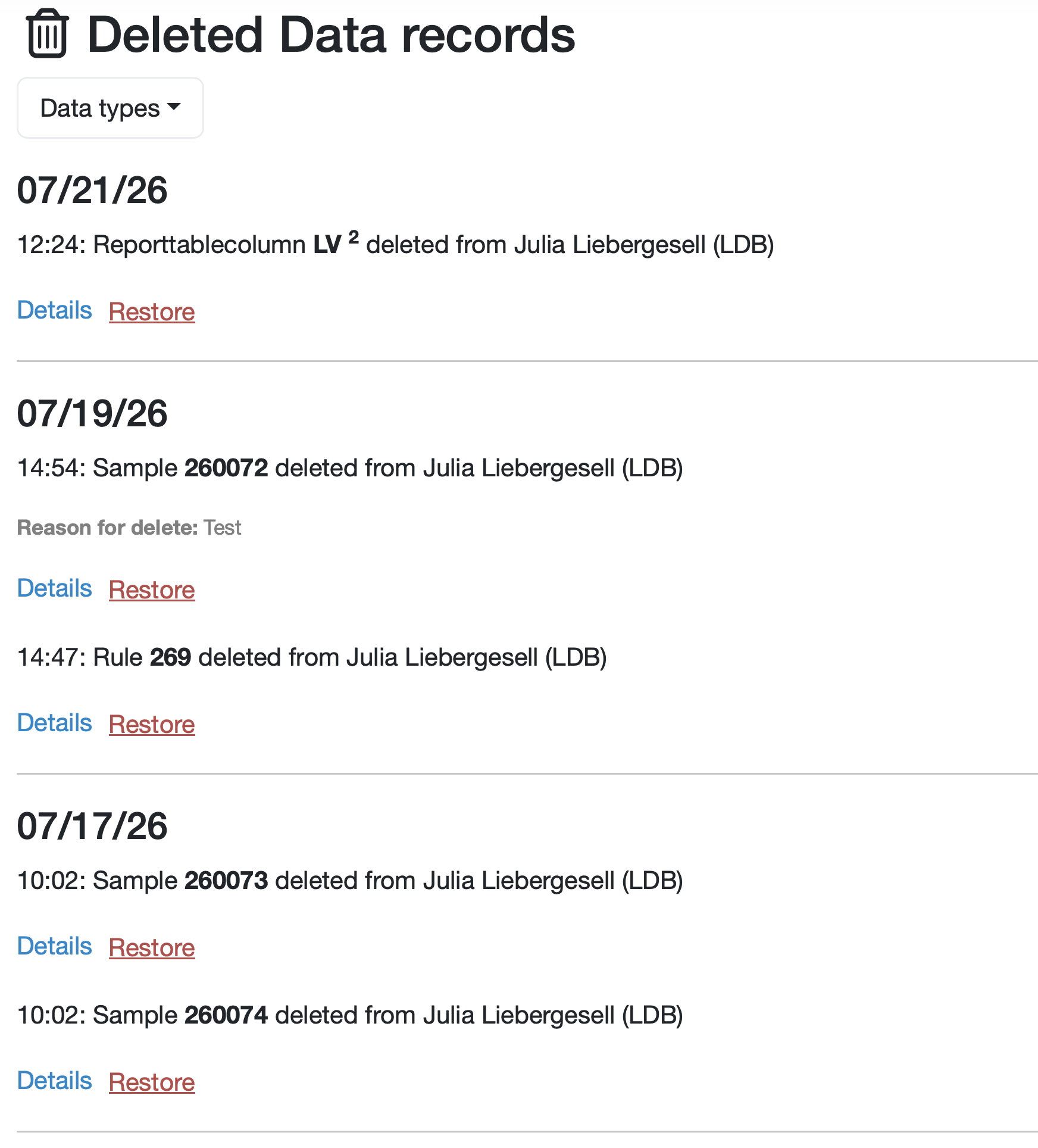
Figure: Overview of deleted records
Each entry contains the following information:
A filter is available to show only deleted records of a specific type.

Figure: Restoring a deleted record
Note: A record can only be restored within 30 days of deletion. After that, the Restore button is no longer available.
You can, however, still view the deleted record data.
Deletion is always done in the edit view of the respective record.
For example, to delete an existing order, go to Edit order and click Delete order there.
Last change: 08/21/26
General information
8D-report
Supplier evaluation
Material
Employees
Customers
Orders
Samples
PDF templates
Assets
Recipes
Reports
Report table editor
Interfaces
AI functions
Introductory phase
Query reports
Templates
Client zone (optional)
Offers
Invoices
Parameters
Calculating with parameters
Webservices
Transformationscode
Test plans / limit values / specifications
Documents control
Questions and answers
Equipment
Trainings
Others
File management
Processes
