You can find the Hours / Day view under:
Navigation bar → Clock icon (in the right section) → Show hour overview → Hours / Day
The Hours / Day view shows the hour overview per working day. All recorded working days of an employee are listed in a chronological daily overview. It allows you to:
The header of the page shows for which employee the view is open (e.g. Hours per Day from Julia).
The Hours / Day are displayed as a table consisting of two columns:
| Column | Description |
|---|---|
| Date | Shows the weekday and the date of the respective day. |
| Hours | Shows the total recorded working hours for that day. |
The days are listed in reverse chronological order (most recent first).
Days without time tracking entries (e.g. weekends, public holidays, vacation, or forgotten entries) are displayed without an hour value.
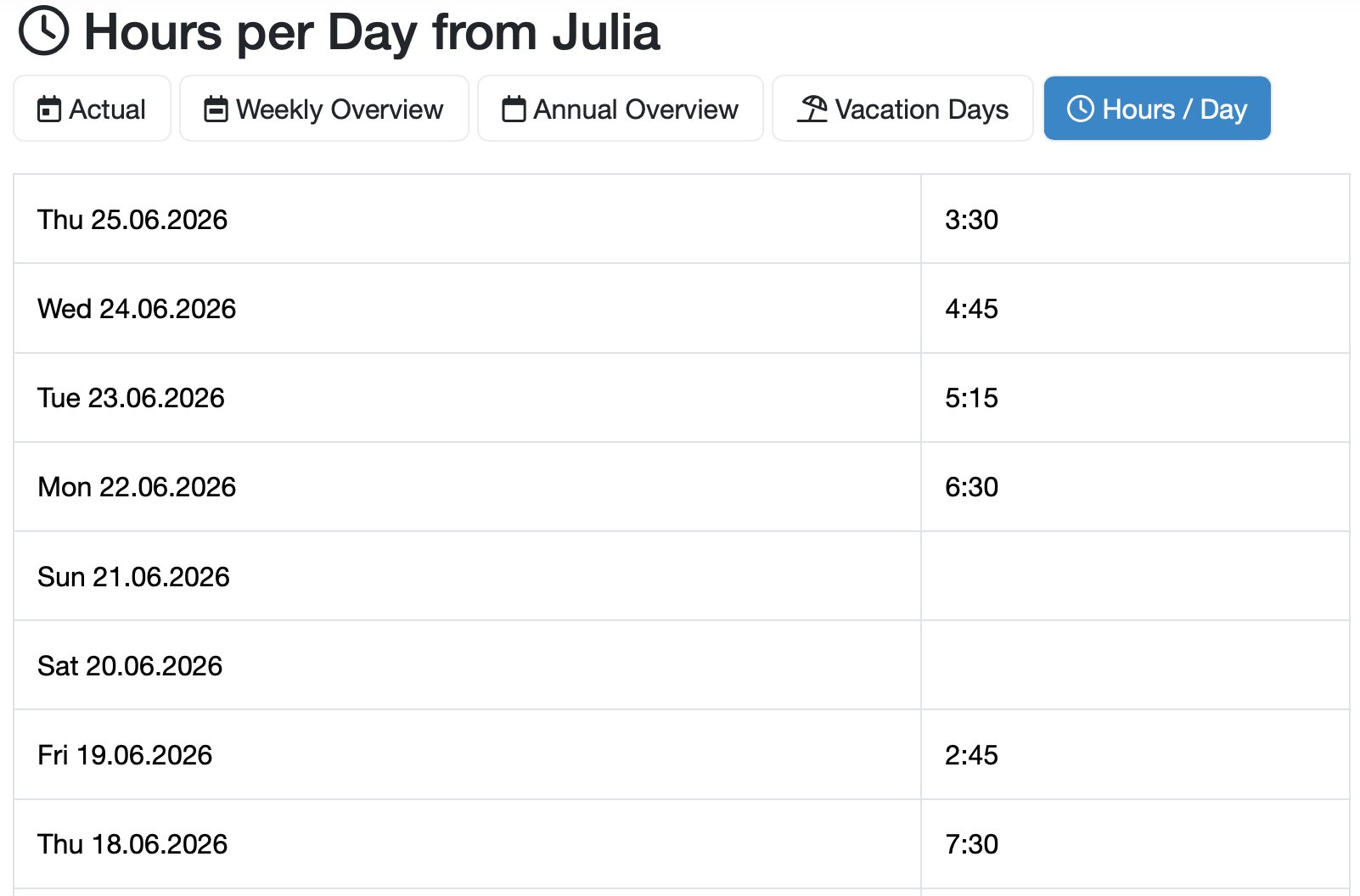
Figure: Hours per Day overview
Last change: 08/21/26
General information
Supplier evaluation
Material
Employees
Customers
Orders
Samples
PDF templates
Assets
Recipes
Reports
Report table editor
Interfaces
AI functions
Introductory phase
Query reports
Templates
Client zone (optional)
Offers
Invoices
Parameters
Calculating with parameters
Webservices
Transformationscode
Test plans / limit values / specifications
Documents control
Questions and answers
Equipment
Trainings
8D-report
Others
File management
Processes