Here's the English translation of the markdown text:
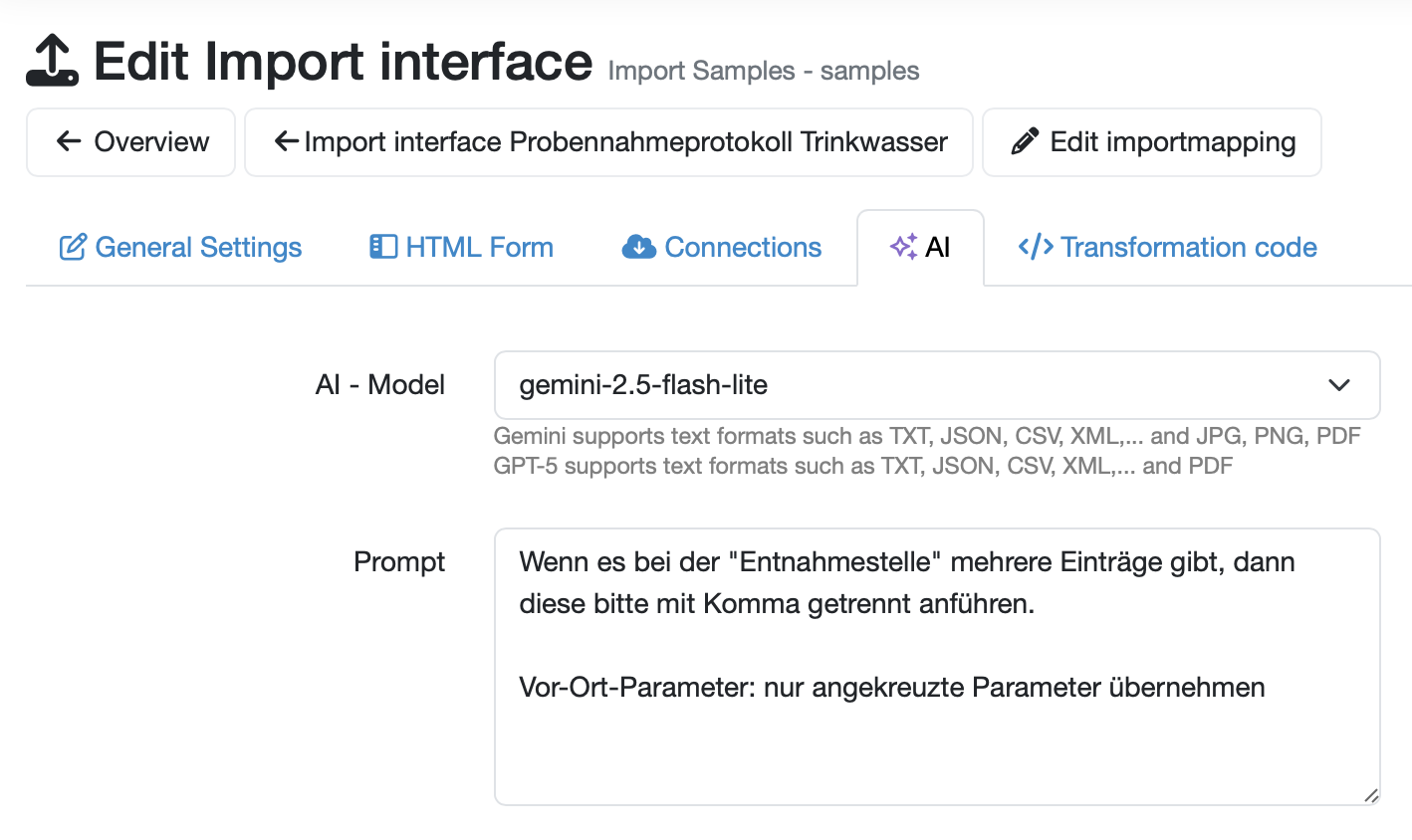
For using AI extensions with the import interfaces of the Laboratory Database, general AI usage must be activated in the Laboratory Database system settings. Subsequently, you will find a new tab in the settings of all import interfaces where you can configure AI usage for an import interface.
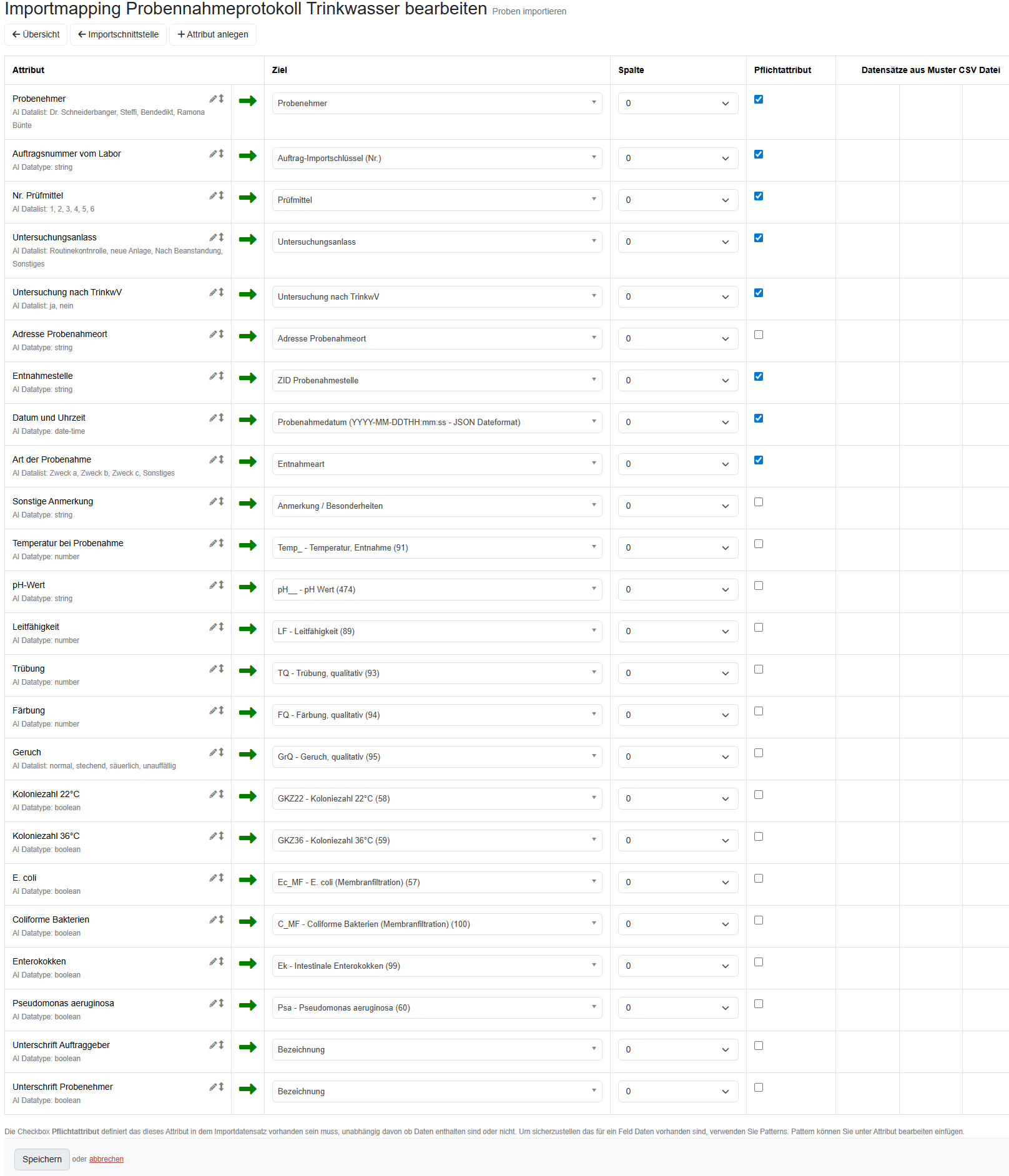
With the import mapping of the Laboratory Database import interfaces, the data types of the data to be imported are defined. These data types (e.g., string, number, selection lists,...) form the basis for structured AI outputs (Structured Output), ensuring that the data is processed by the AI exactly in the required form.
Available AI data types for import mapping
automatic assignment
The data type automatic (Default) automatically uses the appropriate data type based on the selected target where the data will be stored.
AI Datatype: enum
Automatic classification of text content into independently definable lists of possibilities
Example: List of sampler names, so the AI can only select entries from the defined list
AI Datatype: string
Usage: Intelligent text processing and normalization
Example: Standardizing addresses or location specifications
AI Datatype: number
Usage: Intelligent recognition and conversion of numerical values
Example: Automatically standardizing measurement values from different formats
AI Datatype: integer
Usage: Automatic recognition and cleaning of integers
Example: Extracting sample numbers from mixed text fields
AI Datatype: boolean
Usage: Intelligent interpretation of yes/no values
Example: Automatically converting "yes", "no", "✓", "×", "true", "false" to Bool
AI Datatype: date-time
Usage: Automatic recognition and standardization of date/time specifications
Example: Automatically converting various date formats to a uniform format
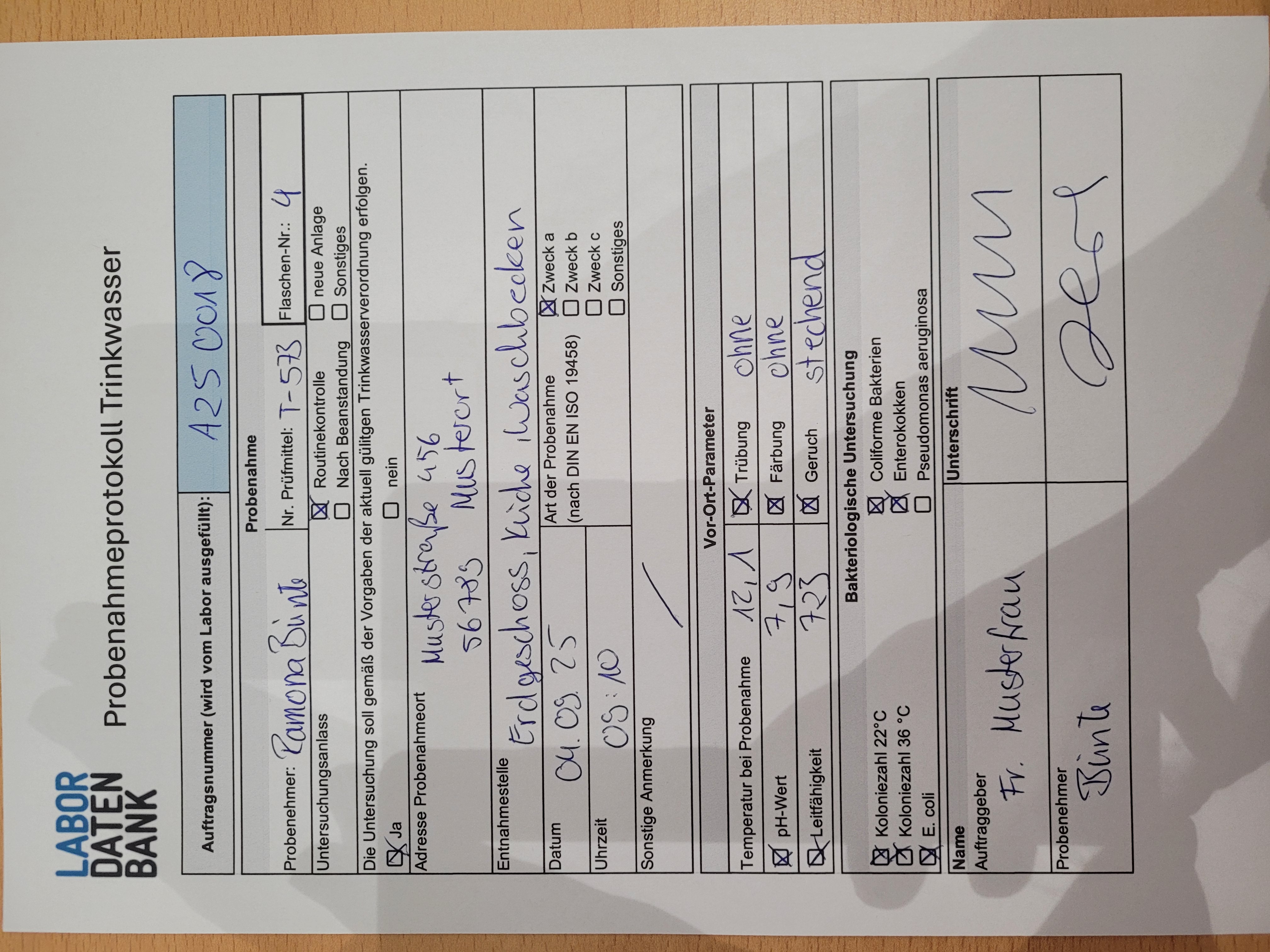
The import mapping "Edit Drinking Water Sampling Protocol" shows the practical application:
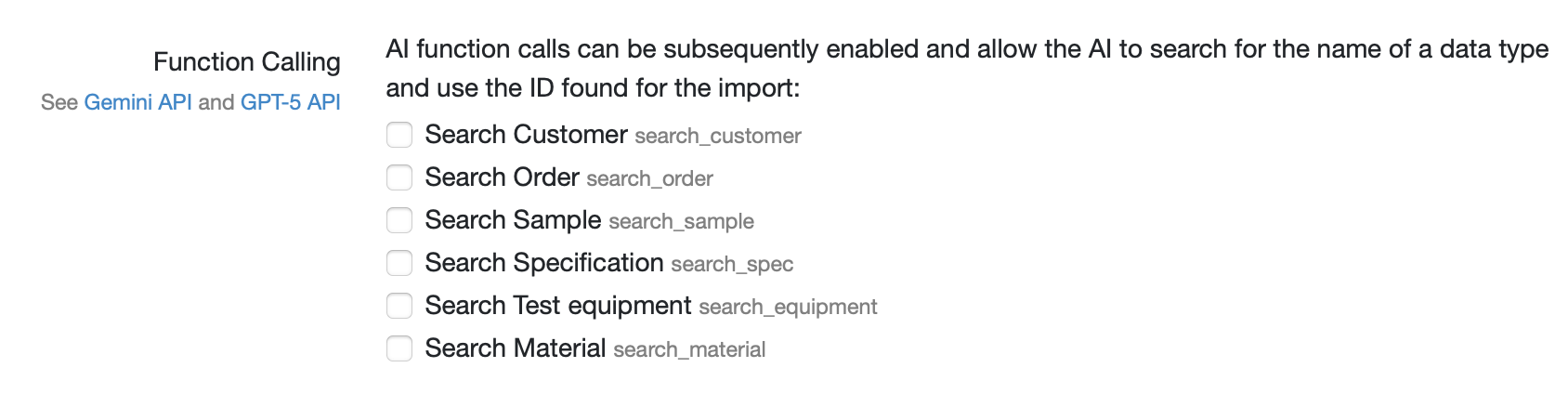
Function Calling can optionally be activated for selected data types (opt-in) and enables making data required for import available for AI retrieval.
For example, if test equipment should be linked with a sample during sample import, the AI can be provided access to the list of test equipment via the function search_equipment(search_term). This way, the AI import can flexibly find test equipment based on a number or name and link it with the sample during import.
Further information you can find in the user call on the AI modules and on the LDB homepage.
Last change: 10/14/26
General information
8D-report
Supplier evaluation
Material
Employees
Customers
Orders
Samples
PDF templates
Assets
Recipes
Reports
Report table editor
Interfaces
AI functions
Introductory phase
Query reports
Templates
Client zone (optional)
Offers
Invoices
Parameters
Calculating with parameters
Webservices
Transformationscode
Test plans / limit values / specifications
Documents control
Questions and answers
Equipment
Trainings
Others
File management
Processes
