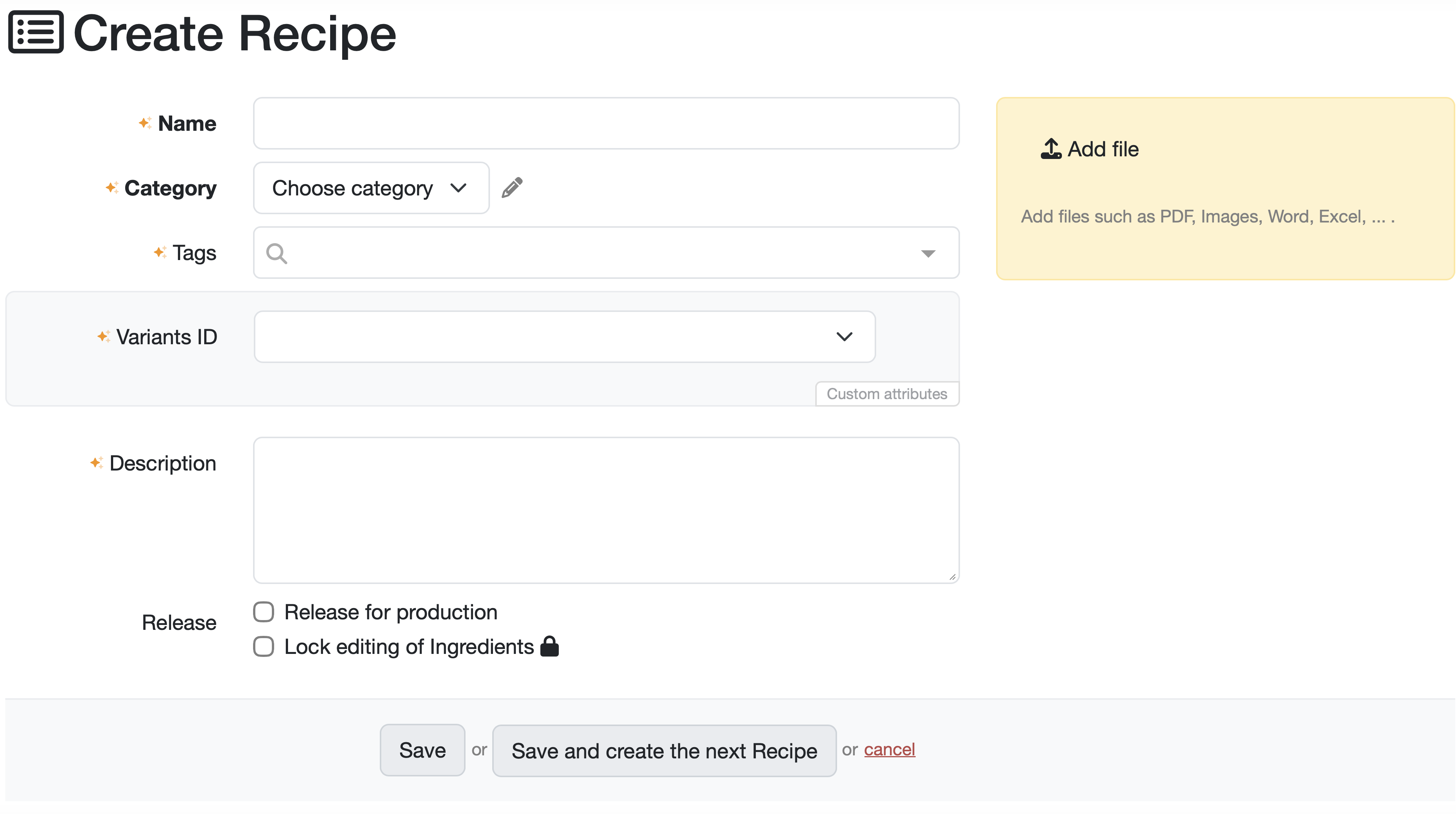
This page allows you to create and edit a new recipe in the LDB. Here you can enter all relevant master data for the recipe, descriptions, manufacturing suggestions, and file attachments.

Click on the pencil icon next to the recipe name.
Alternatively, you can click on the blue link for the recipe name in the recipe overview to open the detail view for this recipe.
Click on the orange Edit recipe button in the right-hand section of the detail view.

The following section describes how to create and edit recipes.
Related topics: Manage recipes, Recipe detail view and ingredients
Laatste wijziging: 21.08.2026
Algemeen
Leveranciersbeoordeling
Materiaal
Medewerkers
Klanten
Opdrachten
Monsters
PDF-sjablonen
Bijlagen
Recepten
Verslagen
Editor voor rapporttabellen
Interfaces
Kompetenzen
AI-functies
Inleidende fase
Analyses
Sjablonen
Klantenportaal (optioneel)
Aanbiedingen
Facturen
Parameters
Rekenwerk met parameters
Webservices
Transformatiecode
Controleplannen / Grenswaarden / Specificaties
Documentbeheer
Vragen en antwoorden
Testmiddelen
Opleidingen voor medewerkers
8D-rapport
Overige
Bestandsbeheer
Processen
