Create test plan / limit value table / specification

Depending on the LDB configuration, you work with test plans, limit tables or specifications. The following instructions can be applied to all three variants. With the test plan, a limit value table or the specifications, you determine for which samples which target values apply for which parameters.

Navigation

To create a new specification, follow this path:
Navigation bar → Samples → Specifications → Create specification

Note: Depending on the laboratory database configuration, you will work with test plans, limit value tables, or specifications. The instructions can be applied to all variants.

Create specification

  • Click on the green button + Create specification in the upper right-hand corner of the page.

Enter basic data

The basic data for a specification are shown and described below:
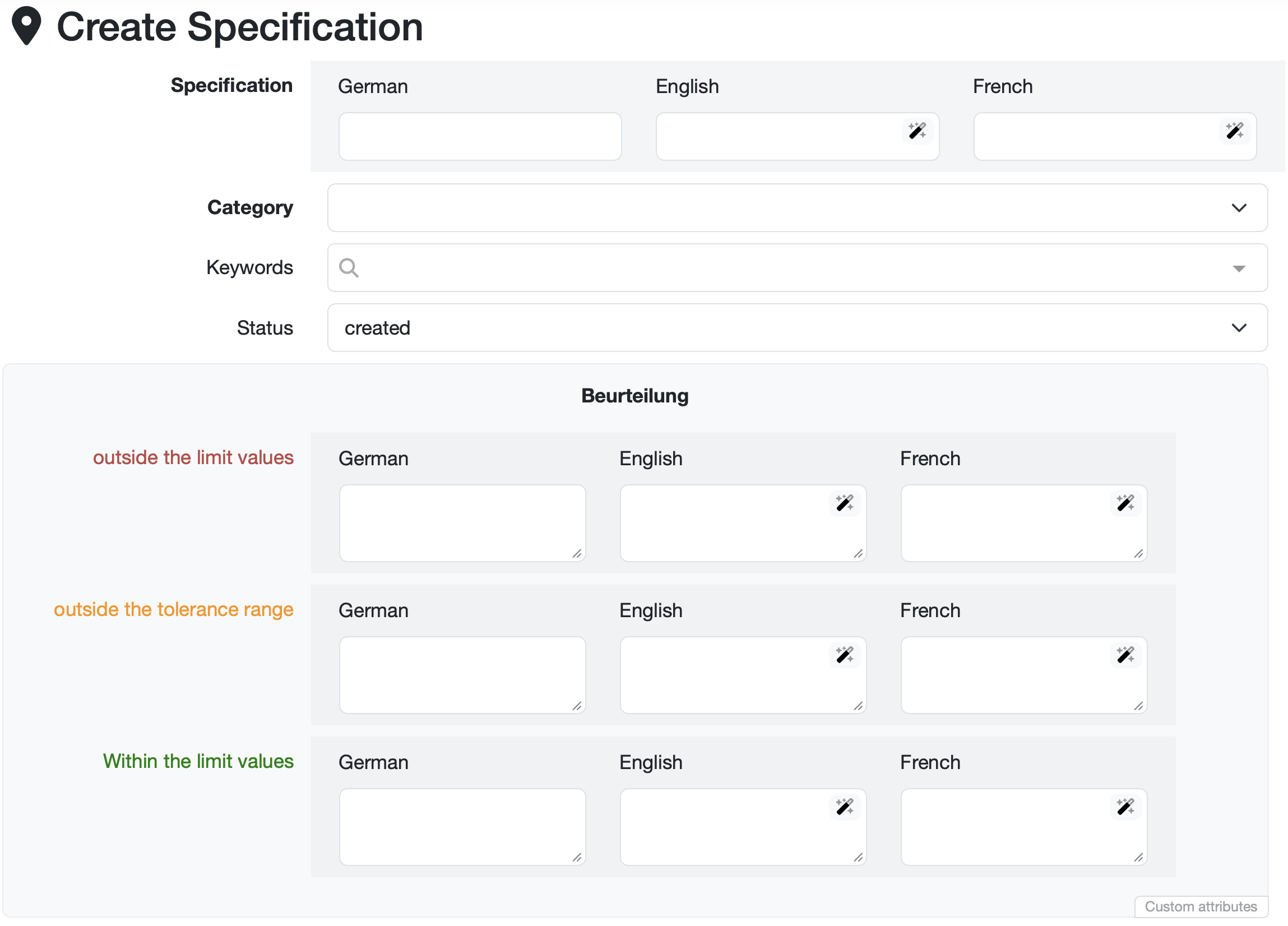
  • Specification: Enter the name of the specification in the relevant languages. Click on the magic wand icon to get translation suggestions.
  • Category: Select the appropriate category from the drop-down menu.
  • Keywords: Assign keywords using the search field for better findability.
  • Status: Set the status. You can manage the release of the specification by assigning a status.
  • Note: You can enter notes in the Note field.
  • Assessment texts: Store assessment texts that automatically appear as suggestions when creating the report if measured values are outside the defined ranges:
    • Assessment outside the limit values
    • Assessment outside the tolerance range
    • Assessment within the limit values
  • Additional master data: Depending on the configuration of your LDB, additional master data fields are available.
  • File attachments: Drag files into the blue field to link documents to the specification.

Further information: Add specification limits / reference ranges

Laatste wijziging: 21.08.2026

Algemeen

Leveranciersbeoordeling

Materiaal

Medewerkers

Klanten

Opdrachten

Monsters

PDF-sjablonen

Bijlagen

Recepten

Verslagen

Editor voor rapporttabellen

Interfaces

Kompetenzen

AI-functies

Inleidende fase

Analyses

Sjablonen

Klantenportaal (optioneel)

Aanbiedingen

Facturen

Parameters

Rekenwerk met parameters

Webservices

Transformatiecode

Controleplannen / Grenswaarden / Specificaties

Documentbeheer

Vragen en antwoorden

Testmiddelen

Opleidingen voor medewerkers

8D-rapport

Overige

Bestandsbeheer

Processen
