You can find the batch overview in the respective material detail view. More about materials can be found at Create/edit/delete material.

In this batch overview, all batches of the respective material are visible. At a glance, you can see the status of each batch, its expiration date, as well as the quantity and remaining quantity. The remaining quantity is calculated based on the total amount, the number of uses in samples, and the quantity per sample derived from the material.
You can also immediately see in which samples each batch was used, ensuring full traceability. More information can be found at Linking materials with parameters.
Create and edit batch
Via Add Batch you can create new batches. Click on next to the name of a batch to edit an existing one.
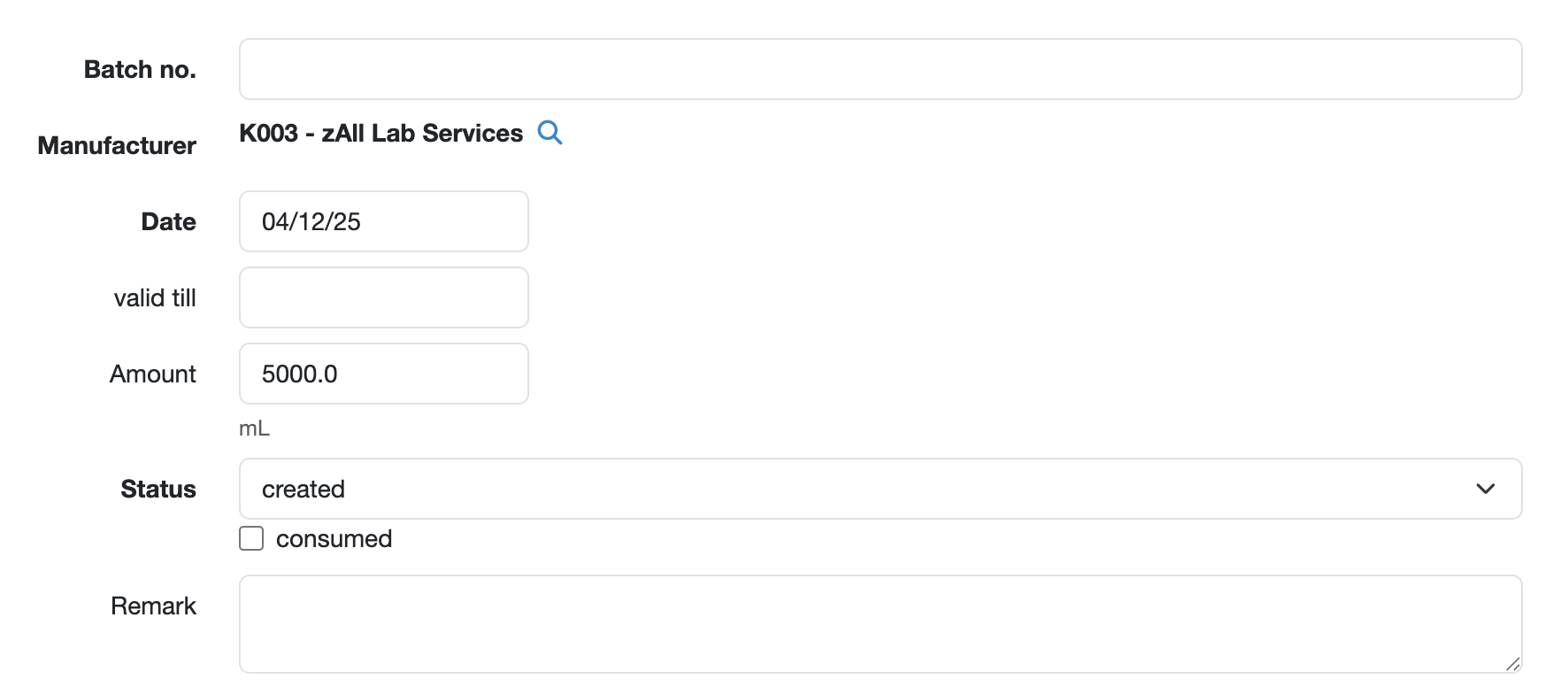
Here you can add master data for the respective batch, such as:
Clicking Save will now display this batch in the material management view.
Delete batch
Batches that have not yet been used can be deleted. To do this, edit the respective batch and click delete.
Laatste wijziging: 21.08.2026
Algemeen
Leveranciersbeoordeling
Materiaal
Medewerkers
Klanten
Opdrachten
Monsters
PDF-sjablonen
Bijlagen
Recepten
Verslagen
Editor voor rapporttabellen
Interfaces
Kompetenzen
AI-functies
Inleidende fase
Analyses
Sjablonen
Klantenportaal (optioneel)
Aanbiedingen
Facturen
Parameters
Rekenwerk met parameters
Webservices
Transformatiecode
Controleplannen / Grenswaarden / Specificaties
Documentbeheer
Vragen en antwoorden
Testmiddelen
Opleidingen voor medewerkers
8D-rapport
Overige
Bestandsbeheer
Processen
