Reports can be sent directly by email from the LDB. Alternatively, you can log a report that was sent externally (e.g. by post) as sent.
Open the report management via:
Navigation bar → Samples → Reports
Note: The exact naming of the menu items may vary depending on the configuration of your LDB.
Send a single report

Figure: Send a single report by email
Send multiple reports
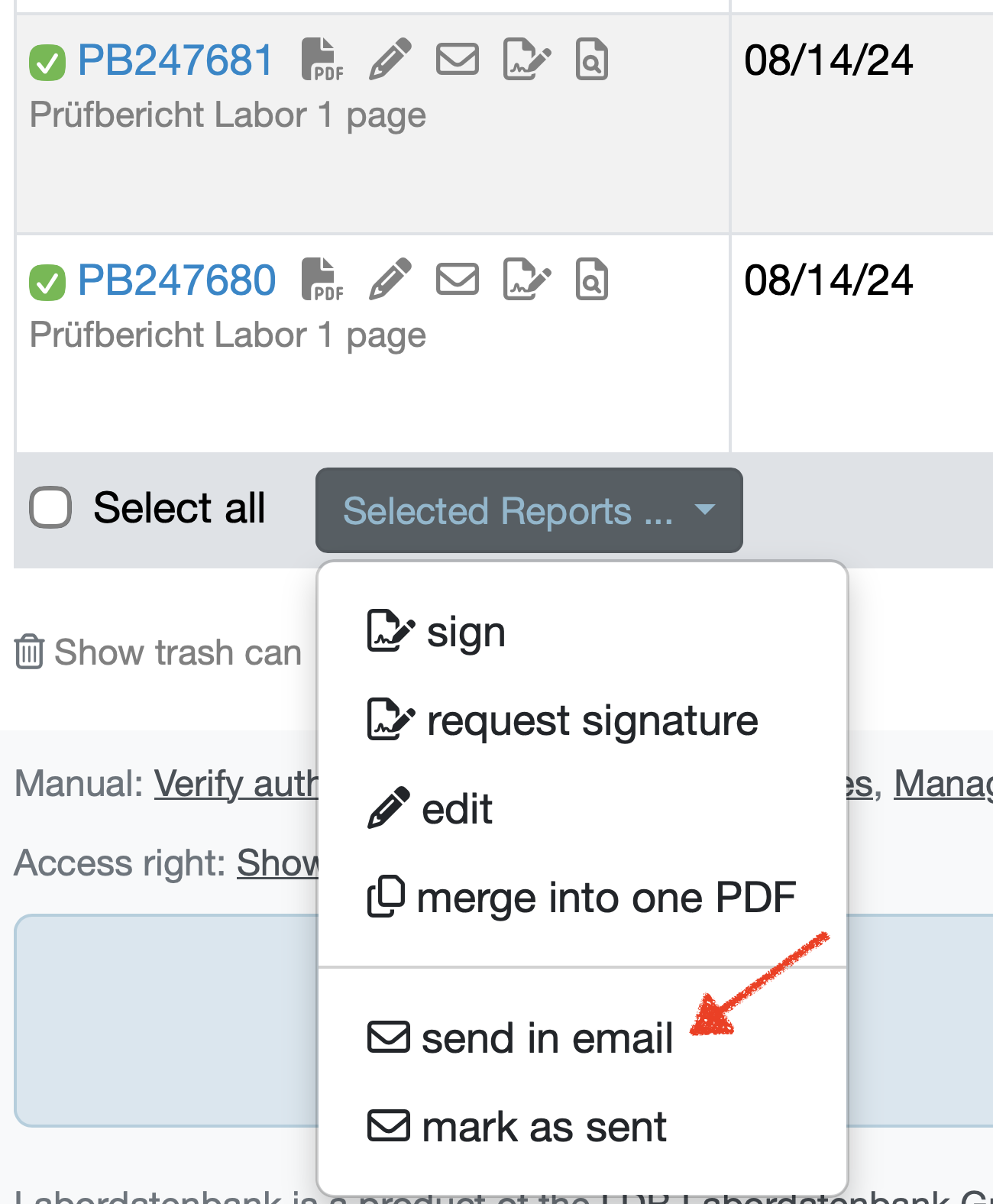
Figure: Send selected reports by email
The Send Reports screen then opens with the selected reports as attachments. The following fields are available:
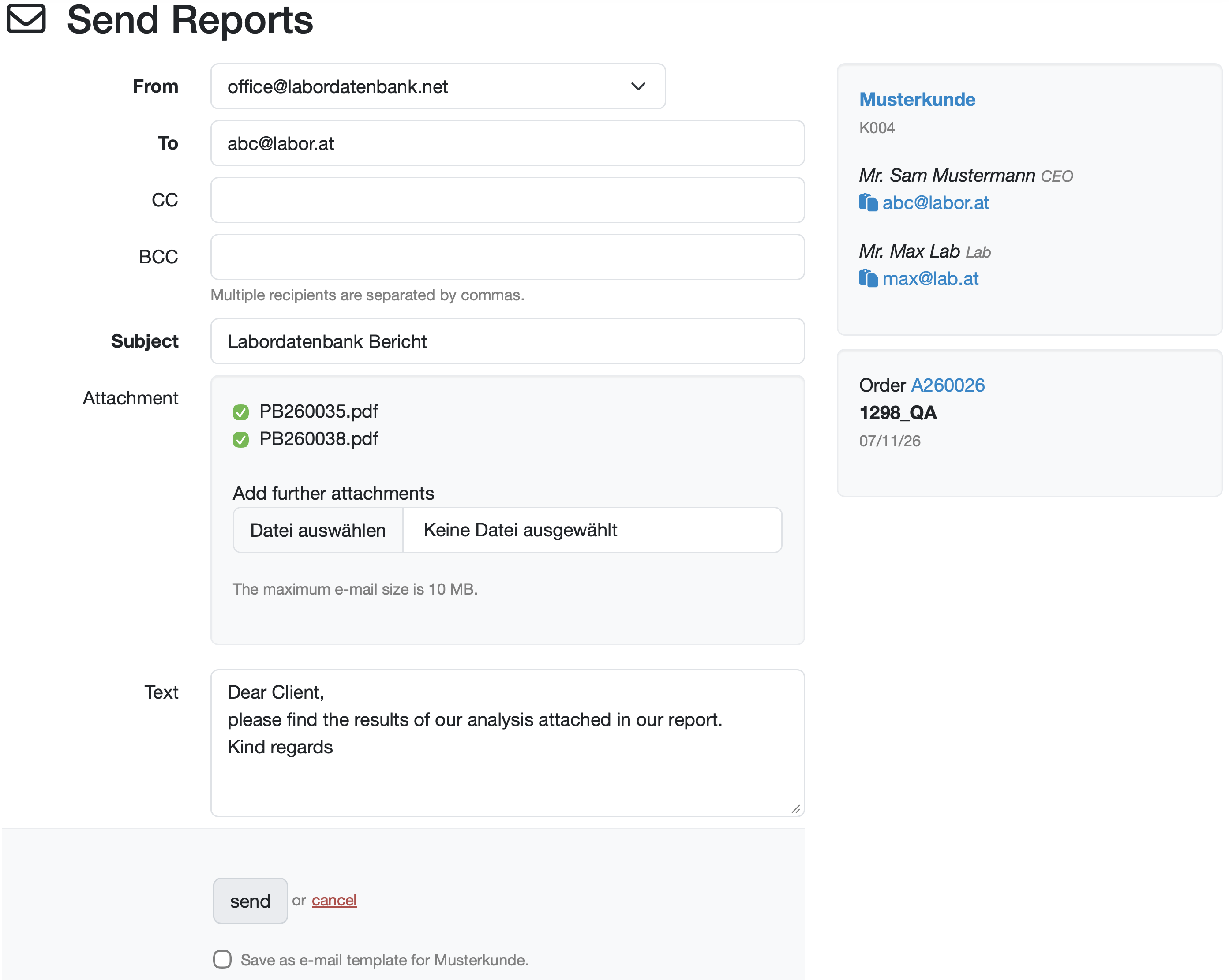
Figure: Send Reports screen with the selected reports
To the right of the screen, the associated customer and the linked order are shown. The customer block lists the stored contact persons with their function and their email addresses. Using the copy symbol next to an email address, you transfer it directly into the recipient field. The order number and description in the lower block are shown in blue and lead to the respective detail view when clicked.
The maximum e-mail size is 10 MB. This includes the email content and all attachments. The maximum number of recipients is 20 (including all To, CC and BCC recipients).
If you would like to send larger file attachments or to more than 50 recipients, you can enter your own SMTP account for sending emails in the system settings.
Via the system settings, you can preconfigure the default behaviour for sending reports – for example sender and recipient addresses, the subject and text of the sending email, or whether only signed reports may be sent.
You can find these settings under:
Navigation bar → Settings → System settings → Reports → Send reports section
If you send a report independently of the LDB (e.g. printed out for postal delivery), you can log the dispatch in the LDB.
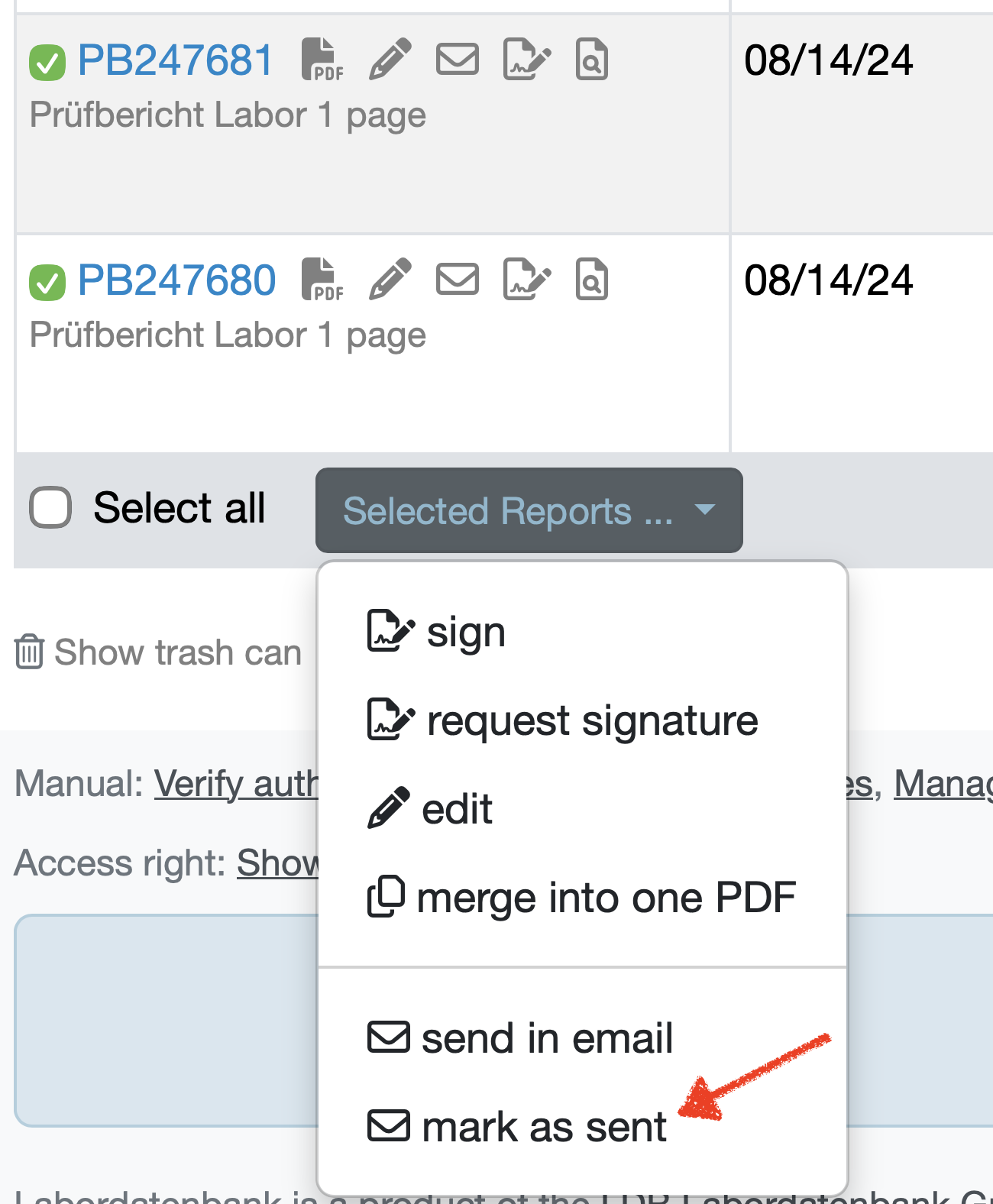
Figure: Mark selected reports as sent
Laatste wijziging: 21.08.2026
Algemeen
Leveranciersbeoordeling
Materiaal
Medewerkers
Klanten
Opdrachten
Monsters
PDF-sjablonen
Bijlagen
Recepten
Verslagen
Editor voor rapporttabellen
Interfaces
Kompetenzen
AI-functies
Inleidende fase
Analyses
Sjablonen
Klantenportaal (optioneel)
Aanbiedingen
Facturen
Parameters
Rekenwerk met parameters
Webservices
Transformatiecode
Controleplannen / Grenswaarden / Specificaties
Documentbeheer
Vragen en antwoorden
Testmiddelen
Opleidingen voor medewerkers
8D-rapport
Overige
Bestandsbeheer
Processen
