Login to your LDB is done in the browser of your choice via the URL https://labordatenbank.com/lab, where "lab" is a short designation of your laboratory's name.
The login process to the LDB is simple and straightforward. You will need your email address or your abbreviation that you provided during registration. Enter this into the designated field, followed by your password.
URL: https://labordatenbank.com/lab
Login: john.doe@lab.com
Password: ***********
Tip 1: Make sure you haven't forgotten the "s" in https and that the domain ends with .com.
Tip 2: Instead of your email address, you can also use your two- to four-letter abbreviation for login. In the case of john.doe@lab.com, this could be, for example, JD or JoDo.

The security of your data is of utmost importance to us. Therefore, we offer advanced security measures such as Multi-Factor Authentication (MFA), Passkey, and Single Sign-On (SSO).
MFA is a method that requires an additional code besides your password, which is sent to you via a trusted source such as your mobile phone, or provided with a security key. This additional level of security helps protect your data from unauthorized access. Learn more about it and how to activate it at activate Multi-Factor-Authentification (MFA) with TOTP, activate a Security Key for the MFA
Passkeys are a simple and secure method of authentication that allows users to access their devices without usernames or passwords. They can be activated by entering a PIN or through biometric methods such as fingerprint or Face ID, with biometric data verification taking place locally without being sent to external servers. Learn more about it and how to activate it at Activation of Passkey
SSO allows you to log in to multiple applications with a single set of credentials. This can be particularly useful if you already use SSO in your laboratory or organization. Learn more about it and how to activate it at Activation of SSO
Important:
For administrators, the use of MFA or SSO to access the laboratory database is mandatory, while all users are strongly encouraged to use these security measures. Implementing these security methods aims to increase the security of sensitive laboratory data and ensure its integrity.
In today's digital world, where hacking attacks are commonplace, it is crucial that you always use secure and unique passwords and update them regularly.
During the laboratory database introduction phase, an administrator and deputy will be defined in your institution, who can manage and, if necessary, reset your logins. Please understand that for security reasons, we cannot reset logins for you via phone or email.
For security reasons, you will be automatically logged out of the LDB after a certain period of time. Two different time limits apply here:
Note:
You can also log out manually at any time. This is especially recommended when you are working on a shared or public device.
Manual logout: Click the logout symbol (the power/on-off icon) at the far right of the navigation bar.
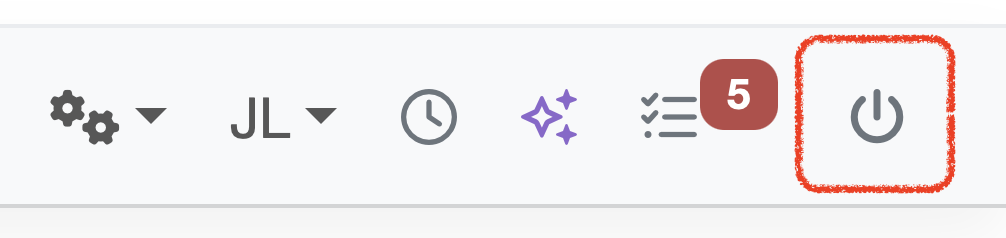
Figure: LDB Logout
Laatste wijziging: 21.08.2026
Algemeen
Leveranciersbeoordeling
Materiaal
Medewerkers
Klanten
Opdrachten
Monsters
PDF-sjablonen
Bijlagen
Recepten
Verslagen
Editor voor rapporttabellen
Interfaces
Kompetenzen
AI-functies
Inleidende fase
Analyses
Sjablonen
Klantenportaal (optioneel)
Aanbiedingen
Facturen
Parameters
Rekenwerk met parameters
Webservices
Transformatiecode
Controleplannen / Grenswaarden / Specificaties
Documentbeheer
Vragen en antwoorden
Testmiddelen
Opleidingen voor medewerkers
8D-rapport
Overige
Bestandsbeheer
Processen
