To access the signature management and creation options, click on: Navigation bar → Settings → Manage signatures.
The button for creating a new signature can be found under the menu heading.
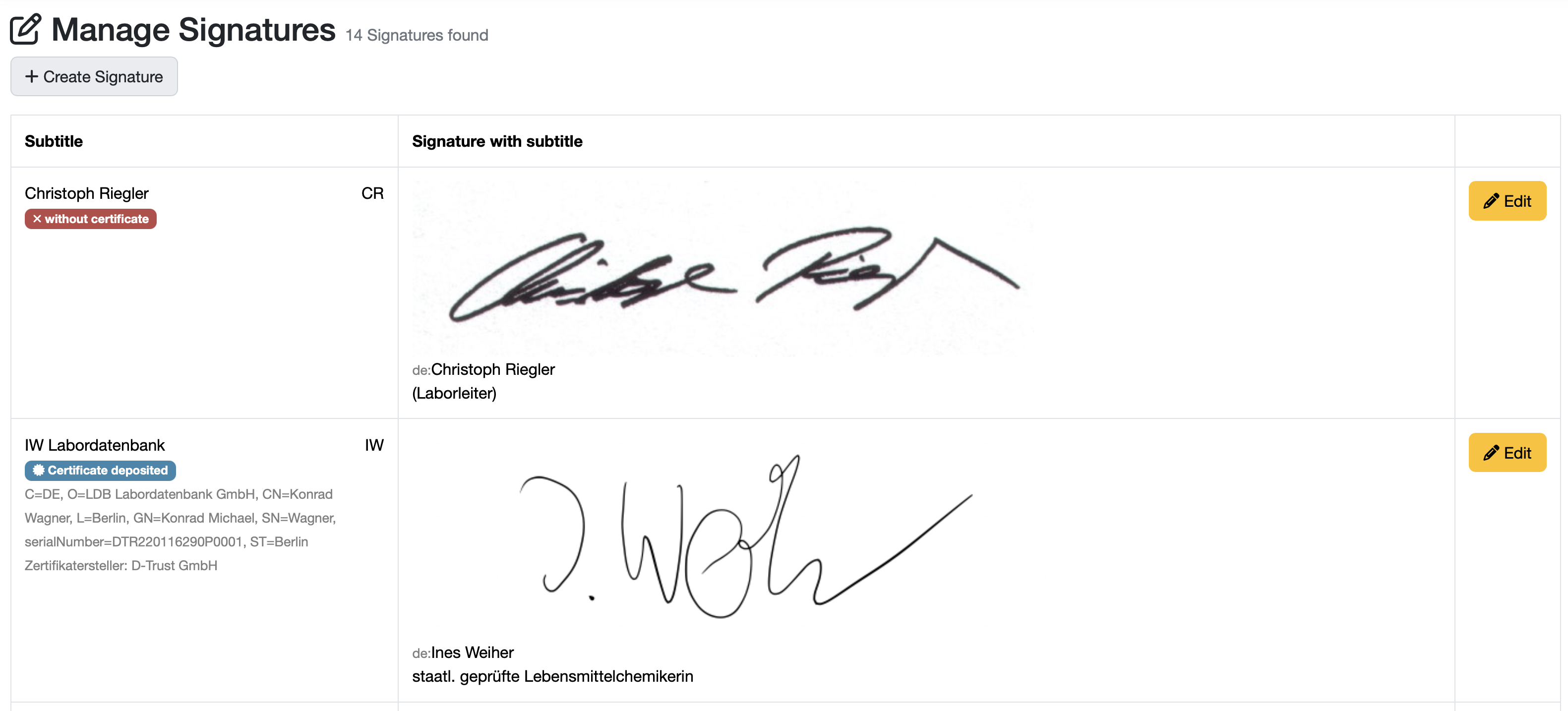
Each signature in the LDB has a name and is directly assigned to an account. The signature itself consists of an image that is not much larger than the signature. The captions are printed below the signature image and usually contain the person's name in plain text and, if applicable, their position.
Related topics: Create / edit / delete a signature, Certificate, Verify authenticity of reports and certificates
Laatste wijziging: 21.08.2026
Algemeen
Leveranciersbeoordeling
Materiaal
Medewerkers
Klanten
Opdrachten
Monsters
PDF-sjablonen
Bijlagen
Recepten
Verslagen
Editor voor rapporttabellen
Interfaces
Kompetenzen
AI-functies
Inleidende fase
Analyses
Sjablonen
Klantenportaal (optioneel)
Aanbiedingen
Facturen
Parameters
Rekenwerk met parameters
Webservices
Transformatiecode
Controleplannen / Grenswaarden / Specificaties
Documentbeheer
Vragen en antwoorden
Testmiddelen
Opleidingen voor medewerkers
8D-rapport
Overige
Bestandsbeheer
Processen
