You can find the examination packages under:
Navigation bar → Settings → Templates → Examination packages.
The setting options for an examination package are shown and described below.
In real-world applications, an examination package combines all the essential parameters required, for example, for a routine examination of drinking water in accordance with the Drinking Water Ordinance.
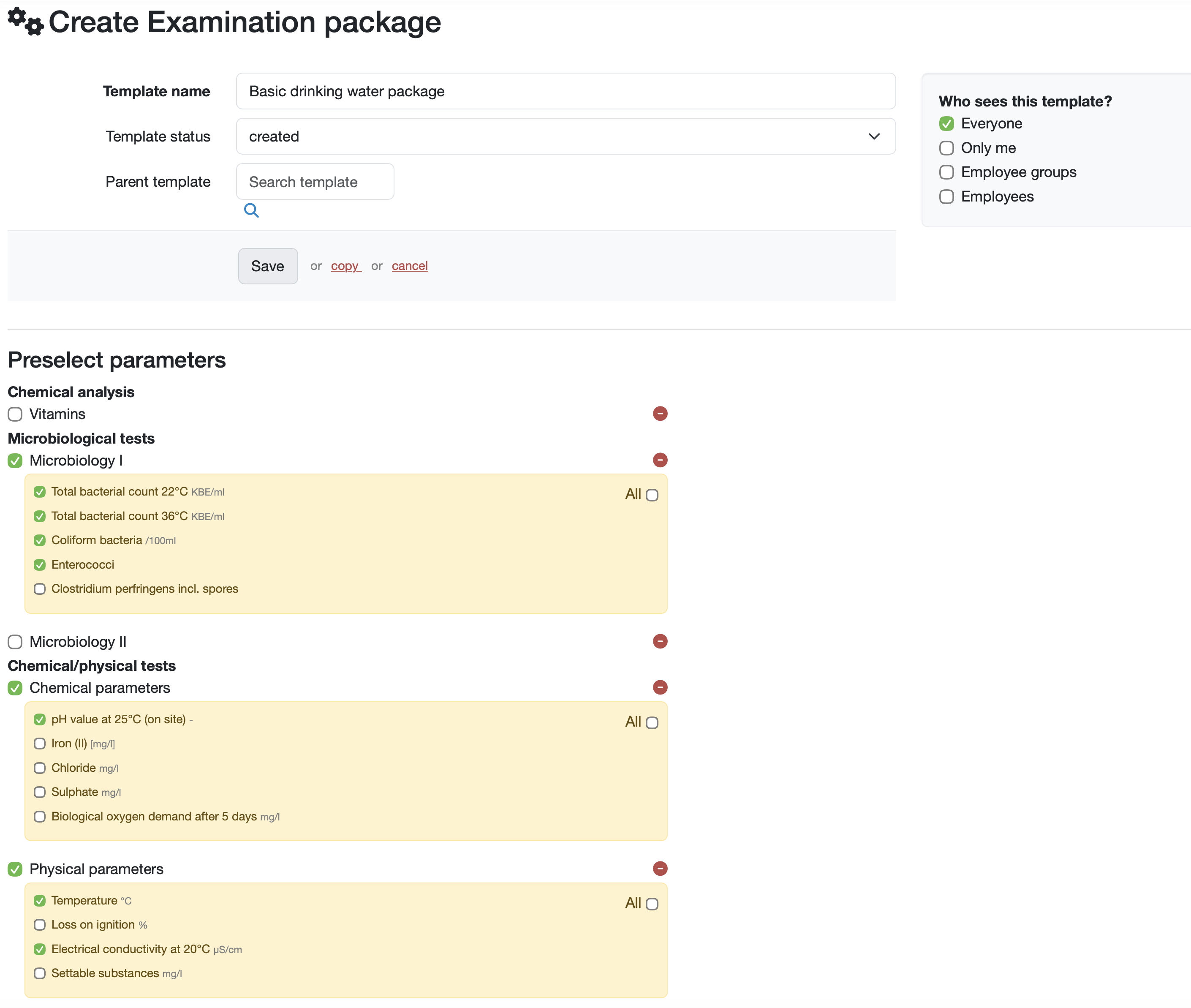
Template name
Enter a unique name for your examination package here.
This name is used for identification purposes and should describe the contents of the package.
Template status
Select the current status of the template from the drop-down menu.
The status options and status properties are available depending on the settings in status management.
Parent template
You can use the search function to assign a parent template to the examination package.
Click on the magnifying glass icon to select a parent template.
In the Preselect parameters area, you can define which parameters should be included in the package.
Who can see this template?
Define who should have access to this template:
Everyone (enabled by default): All users can see the template.
Only me: Only you have access.
Employee groups: Specific groups have access.
Employees: Individual selected employees have access.
Related topics:
Manage examination packages
Add/Edit/Delete Parameter
Laatste wijziging: 21.08.2026
Algemeen
Leveranciersbeoordeling
Materiaal
Medewerkers
Klanten
Opdrachten
Monsters
PDF-sjablonen
Bijlagen
Recepten
Verslagen
Editor voor rapporttabellen
Interfaces
Kompetenzen
AI-functies
Inleidende fase
Analyses
Sjablonen
Klantenportaal (optioneel)
Aanbiedingen
Facturen
Parameters
Rekenwerk met parameters
Webservices
Transformatiecode
Controleplannen / Grenswaarden / Specificaties
Documentbeheer
Vragen en antwoorden
Testmiddelen
Opleidingen voor medewerkers
8D-rapport
Overige
Bestandsbeheer
Processen
