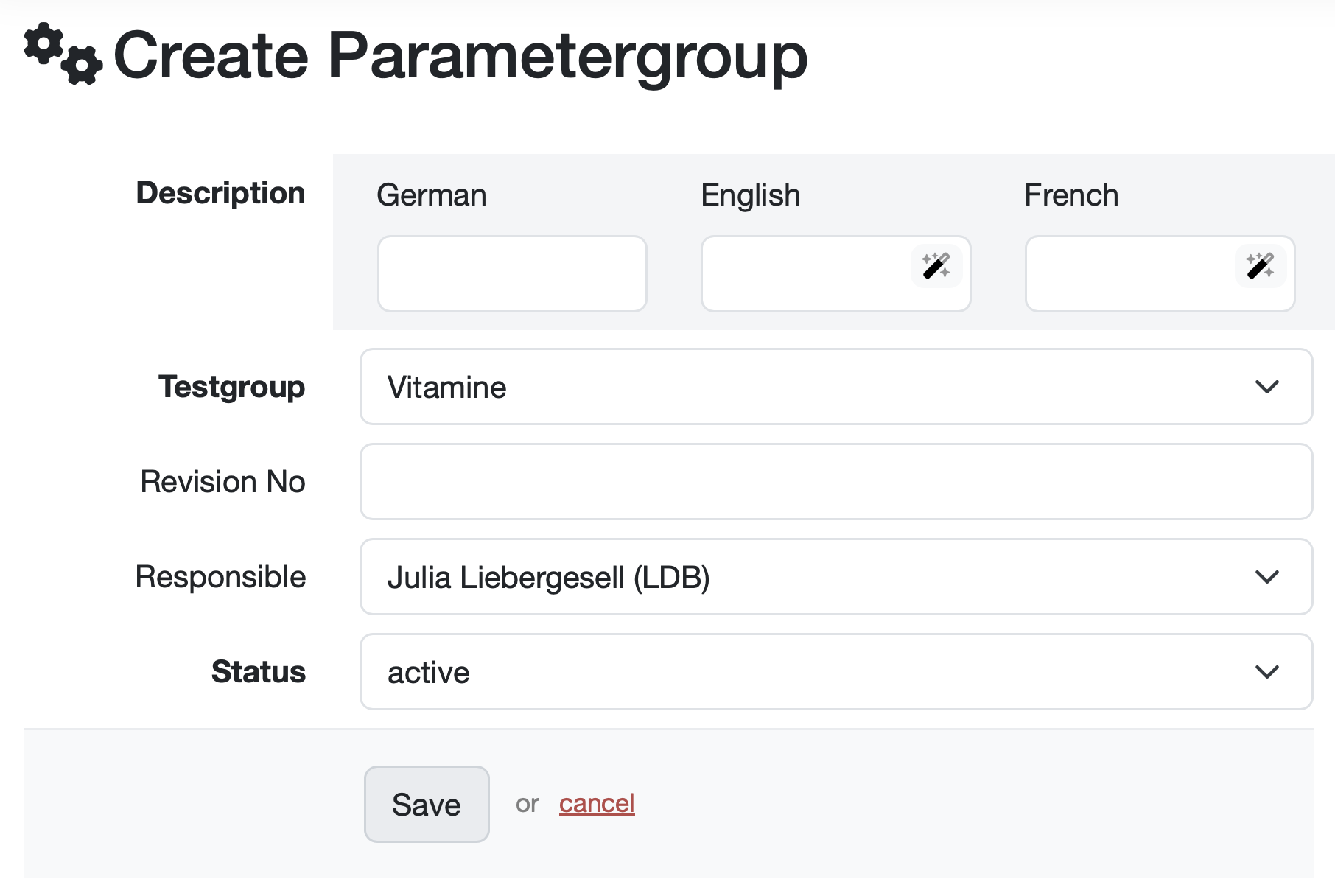
Description (required field): Enter the name of the parameter group. Depending on the configuration, the corresponding languages are available. Click on the pencil icon to get a translation suggestion for the respective language.
Test group (required field): Select the corresponding test group from the drop-down menu. In this example, Physical testing is preselected. Click on the drop-down menu to display further options.
Revision No.: Enter the revision number here, if applicable.
Responsible: Specify who is responsible for this parameter group. The current user account is selected by default. You can select another person from the drop-down menu.
Status (required field): Define the status of the parameter group. The default setting is “active.” Additional status options can be selected from the drop-down menu.
Parameter groups can be assigned a status to control their use:
| Status | Meaning | Example |
|---|---|---|
| Active | The parameters in this group are actively in use and can be assigned to samples as normal. | 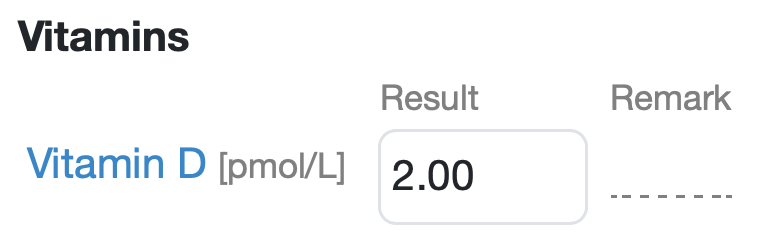 |
| Archived | The parameters in this group can no longer be used in new samples, but remain available for existing samples. | 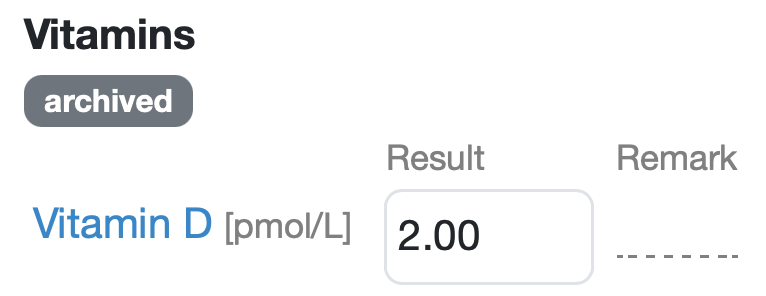 |
| Locked | A note appears in the sample detail view indicating that the parameters in this parameter group are currently unavailable, i.e., locked. | 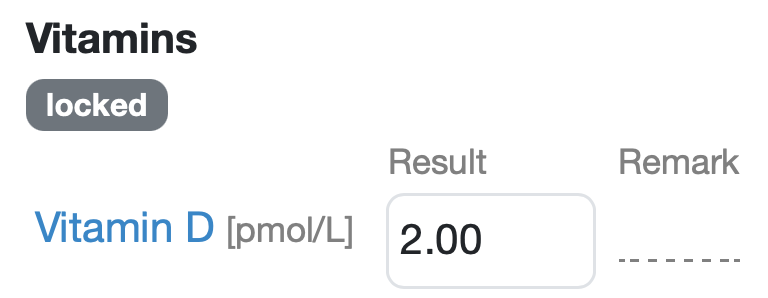 |
Laatste wijziging: 21.08.2026
Algemeen
Leveranciersbeoordeling
Materiaal
Medewerkers
Klanten
Opdrachten
Monsters
PDF-sjablonen
Bijlagen
Recepten
Verslagen
Editor voor rapporttabellen
Interfaces
Kompetenzen
AI-functies
Inleidende fase
Analyses
Sjablonen
Klantenportaal (optioneel)
Aanbiedingen
Facturen
Parameters
Rekenwerk met parameters
Webservices
Transformatiecode
Controleplannen / Grenswaarden / Specificaties
Documentbeheer
Vragen en antwoorden
Testmiddelen
Opleidingen voor medewerkers
8D-rapport
Overige
Bestandsbeheer
Processen
