To edit an access right, follow this path:
Navigation Bar → Settings → Access rights → pencil icon next to the access right
Editing an access right allows you to:
In the access right editing view, you have two dropdowns available:
Activated employees and employee groups:
Required competence:
Hide accesslevel:
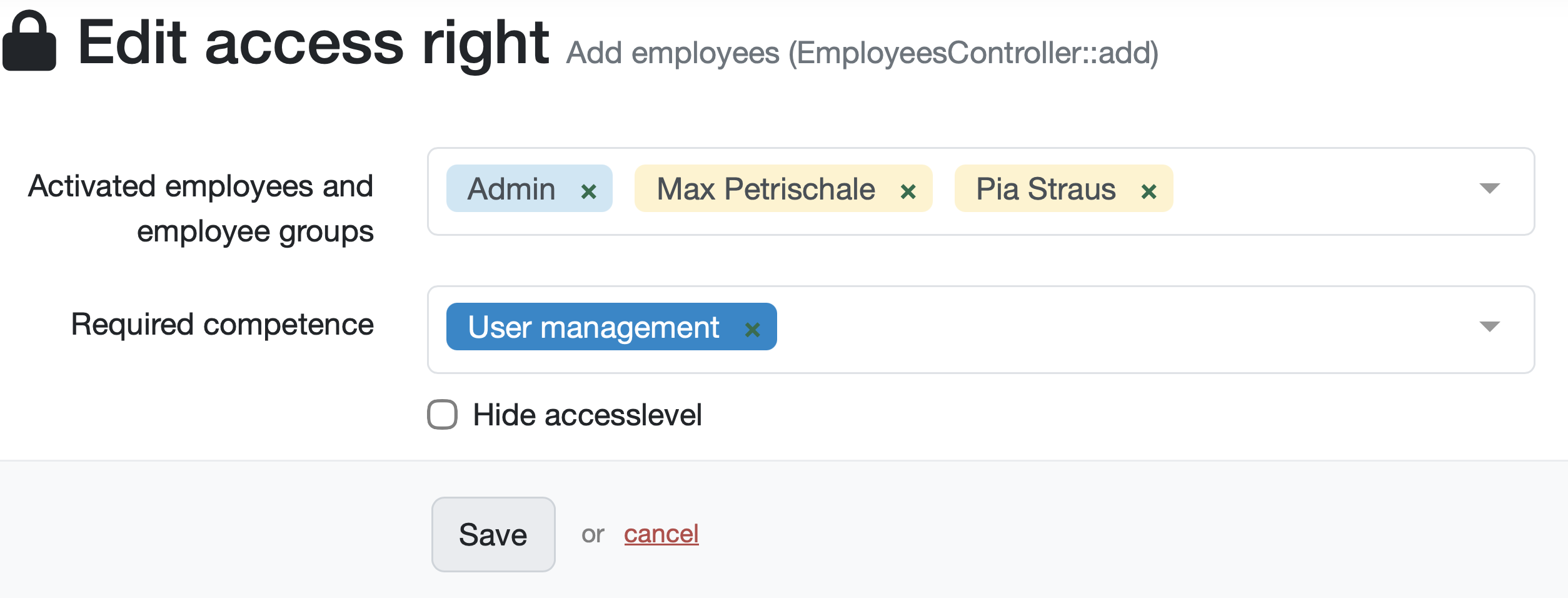
Figure: Edit access right
At the bottom of the form, the system displays the time of the last change and offers a Show history link.
Note: Changes to an access right take immediate effect on all assigned employees and groups. Before saving, check that no required permissions are accidentally revoked.
Laatste wijziging: 21.08.2026
Algemeen
Leveranciersbeoordeling
Materiaal
Medewerkers
Klanten
Opdrachten
Monsters
PDF-sjablonen
Bijlagen
Recepten
Verslagen
Editor voor rapporttabellen
Interfaces
Kompetenzen
AI-functies
Inleidende fase
Analyses
Sjablonen
Klantenportaal (optioneel)
Aanbiedingen
Facturen
Parameters
Rekenwerk met parameters
Webservices
Transformatiecode
Controleplannen / Grenswaarden / Specificaties
Documentbeheer
Vragen en antwoorden
Testmiddelen
Opleidingen voor medewerkers
8D-rapport
Overige
Bestandsbeheer
Processen
