Having measurements carried out by partner laboratories is routine practice in many laboratories. This allows a wider range of analyses to be offered to customers, or the failure of a measuring device to be bridged.
You can mark these so-called subcontracted measurements in the LDB according to the accreditation specifications in the test report.
This also applies to other properties, such as whether the parameter is accredited.
The example of subcontracting is used, to describe the best way how you can proceed here:
Select parameter
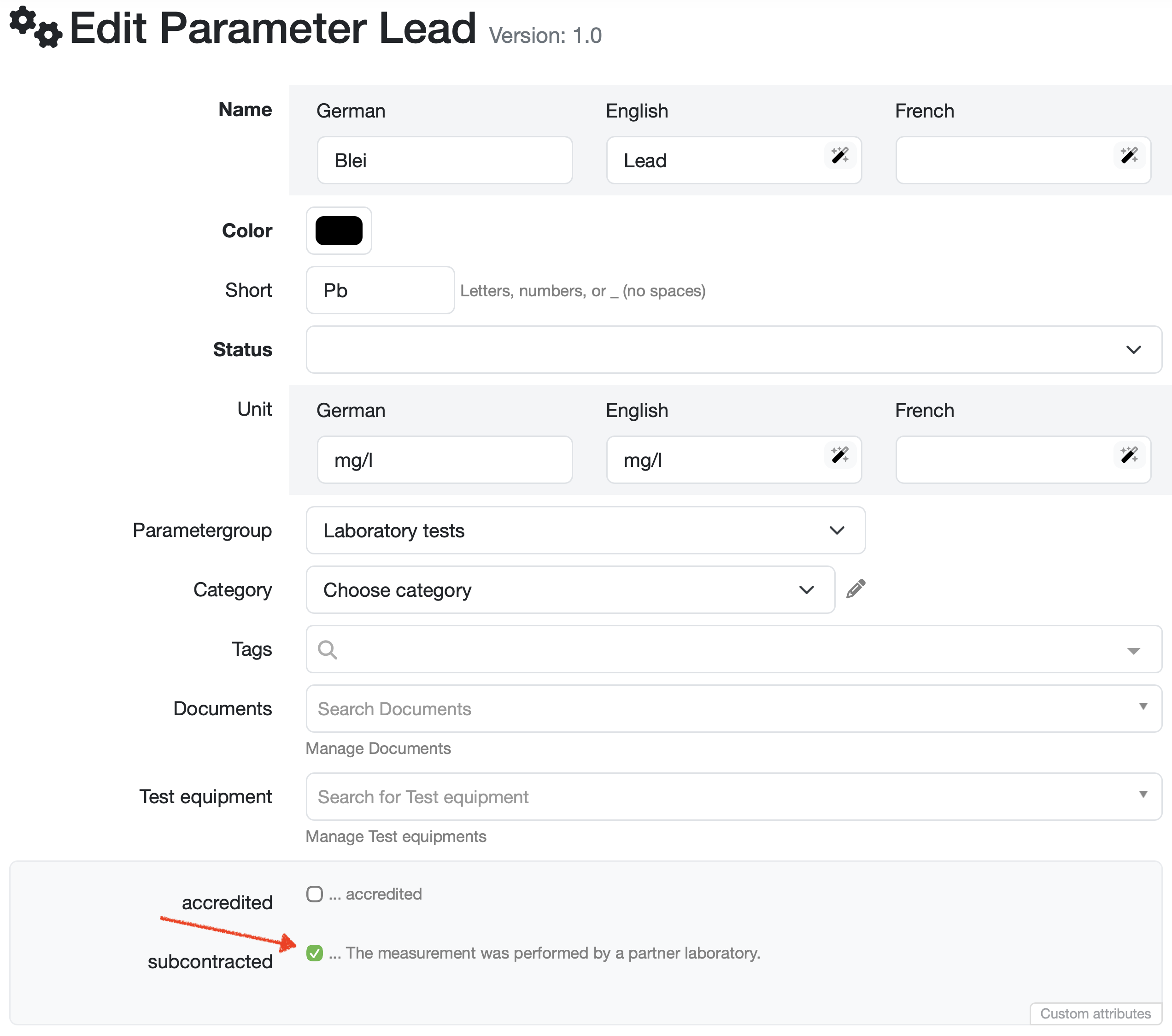
Select the desired parameter via Navigation bar → Settings → Manage parameters.
Mark outsourcing
Check the subcontracted checkbox.
Note: Contact your customer support if this field needs to be configured and agree on the text for the legend.
Display legend in report
To display the legend text below the report table, enter the variable _AUTO_LEGENDE_ as the table footer in the report table editor.
For more information, see: Create/edit/delete a report table
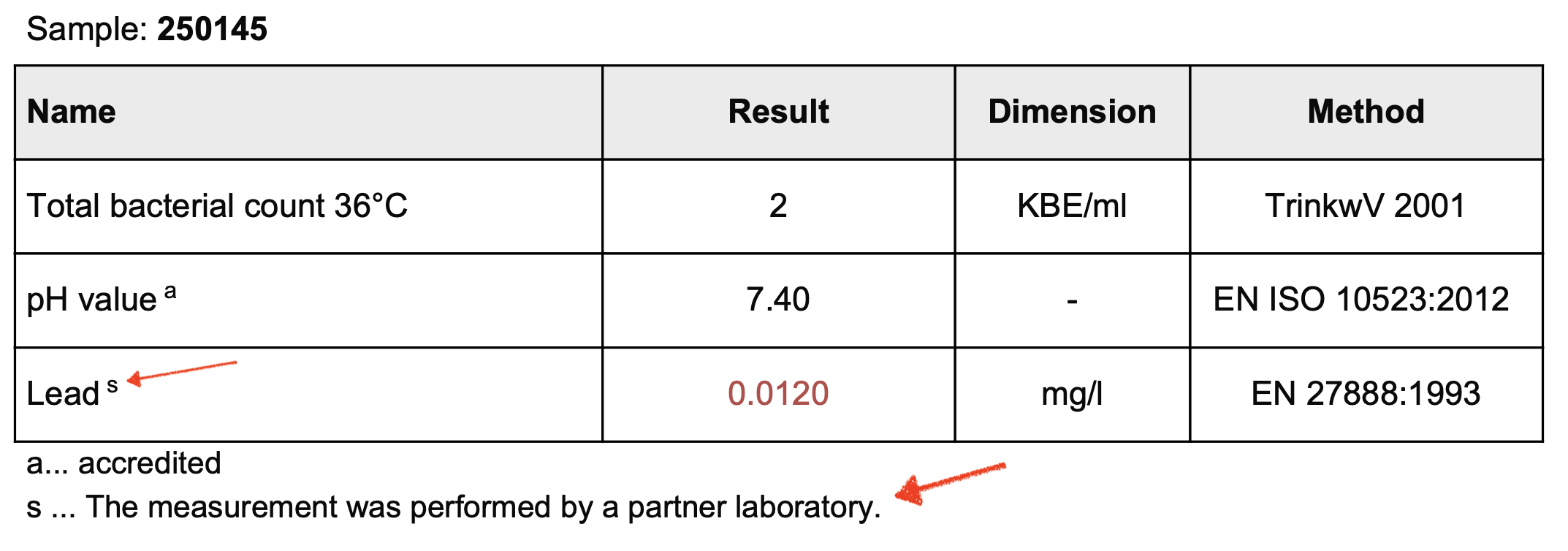
Result in the test report
The parameter is marked accordingly on your test report. The legend text s ... The measurement was performed by a partner laboratory. is automatically displayed as soon as a parameter meets the criterion subcontracted.
Laatste wijziging: 21.08.2026
Algemeen
Leveranciersbeoordeling
Materiaal
Medewerkers
Klanten
Opdrachten
Monsters
PDF-sjablonen
Bijlagen
Recepten
Verslagen
Editor voor rapporttabellen
Interfaces
Kompetenzen
AI-functies
Inleidende fase
Analyses
Sjablonen
Klantenportaal (optioneel)
Aanbiedingen
Facturen
Parameters
Rekenwerk met parameters
Webservices
Transformatiecode
Controleplannen / Grenswaarden / Specificaties
Documentbeheer
Vragen en antwoorden
Testmiddelen
Opleidingen voor medewerkers
8D-rapport
Overige
Bestandsbeheer
Processen
