How to download multiple PDF files (e.g. invoices)

This guide describes how to batch download multiple unsigned PDF files (e.g., invoices), which are generated only by clicking a link, using a browser extension like "Simple Mass Downloader" in Chrome or Firefox, after adjusting the browser's download settings.

For some data types, where a PDF is generated but not signed, and is only generated by clicking on a link, there is a way to download these files in batches.
  1. Use the Chrome browser (Firefox may also be possible)
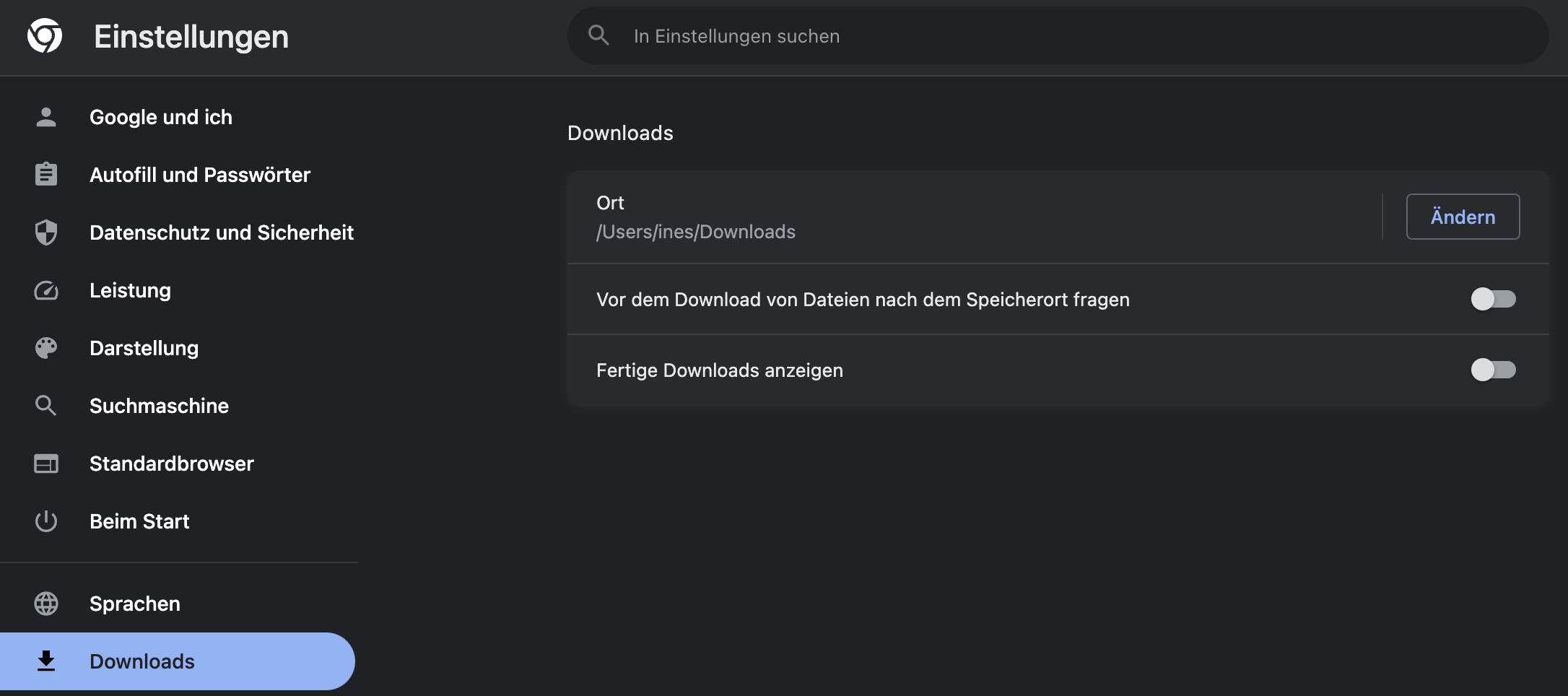
  2. In the browser settings, ensure that you are not asked for the download destination (for > 10 files, it's annoying if it asks for each file)

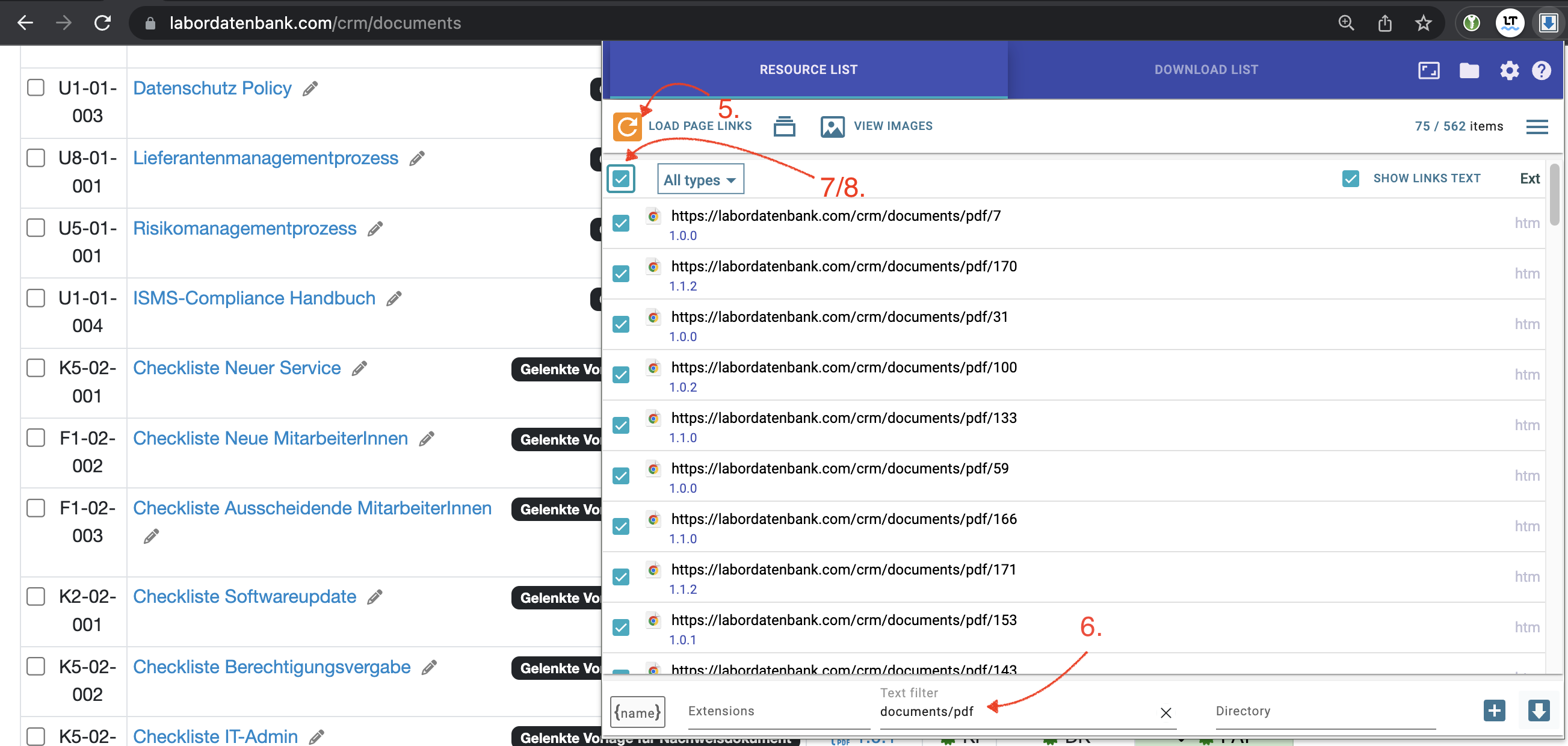
  1. Search for the "Simple Mass Downloader" extension or a similar extension
  2. Activate the extension in the address bar
  3. Reload the page with the extension open, this will collect all links
  4. Filter the collected links by desired criteria
  5. Select 2-3 of the desired files for testing
  6. If it worked with the test files, select all files and let the PC do the work

Laatste wijziging: 21.08.2026

Algemeen

Leveranciersbeoordeling

Materiaal

Medewerkers

Klanten

Opdrachten

Monsters

PDF-sjablonen

Bijlagen

Recepten

Verslagen

Editor voor rapporttabellen

Interfaces

Kompetenzen

AI-functies

Inleidende fase

Analyses

Sjablonen

Klantenportaal (optioneel)

Aanbiedingen

Facturen

Parameters

Rekenwerk met parameters

Webservices

Transformatiecode

Controleplannen / Grenswaarden / Specificaties

Documentbeheer

Vragen en antwoorden

Testmiddelen

Opleidingen voor medewerkers

8D-rapport

Overige

Bestandsbeheer

Processen
